

ComfyUI now has Chatterbox Turbo support, in the form of the latest ComfyUI_Fill-ChatterBox custom nodes, aka FL ChatterBox. Made by Fillip Isgro of the USA. With his nodes, note that manual install of the models is possible if required.
The new Chatterbox Turbo offers free fast quality text-to-speech, and happily runs on lower-end PCs. Turbo also newly supports tags for certain vocal noises, and for speech styles…
[chuckle] [clear throat] [cough] [gasp] [laugh] [shush] [sigh] [sniff]
[advertisement] [angry] [crying] [dramatic] [fear] [happy] [narration] [sarcastic] [surprised] [whispering]
It doesn’t support SAPI5 SSML tags.
With Turbo it takes me approx. 60 seconds generation for 30 seconds of speech, on an NVIDIA 3060 12Gb. The limit seems to be 30 seconds, and if you do more than that the audio may skip at the end.
Install and use:
1. Do the usual keyboard bashing to install a ComfyUI Custom Node on Windows. CMD, GIT clone, and then install the Python requirements (to the ComfyUI Portable Python install, if that’s in use).
2. The Turbo models are found here for manual download: https://huggingface.co/ResembleAI/chatterbox-turbo/tree/main and you need to download all three of the large files, as well as the smaller ones.
3. Then copy all the downloaded models and associated files to the Windows folder ..\ComfyUI\models\chatterbox\chatterbox_turbo which is where ComfyUI_Fill-ChatterBox expects to find them.
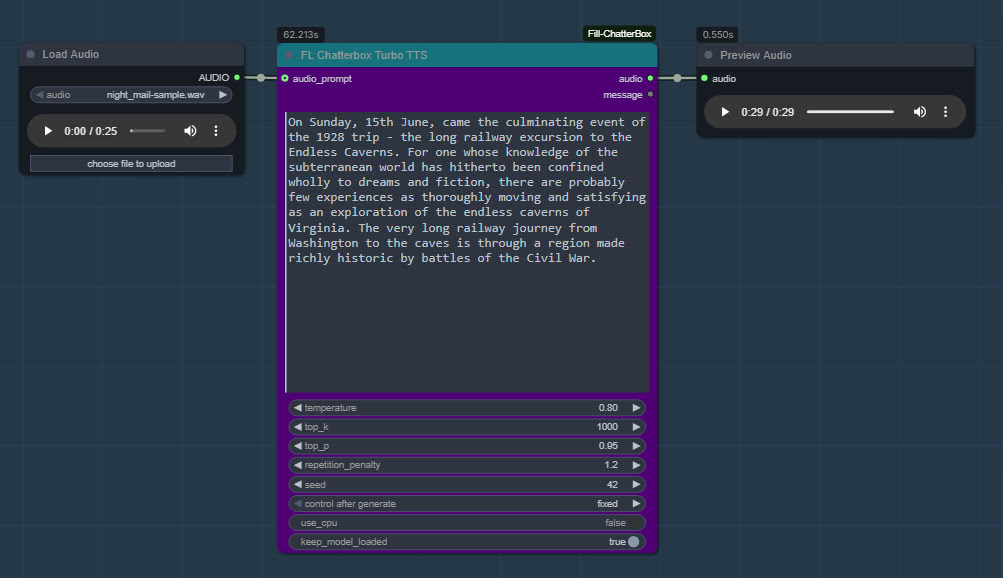
4. Get ComfyUI_Fill-ChatterBox’s sample .JSON workflow from here and load it in ComfyUI. You’ll see you have a new node for running Turbo, offering much the same adjustable parameters as the regular Chatterbox.
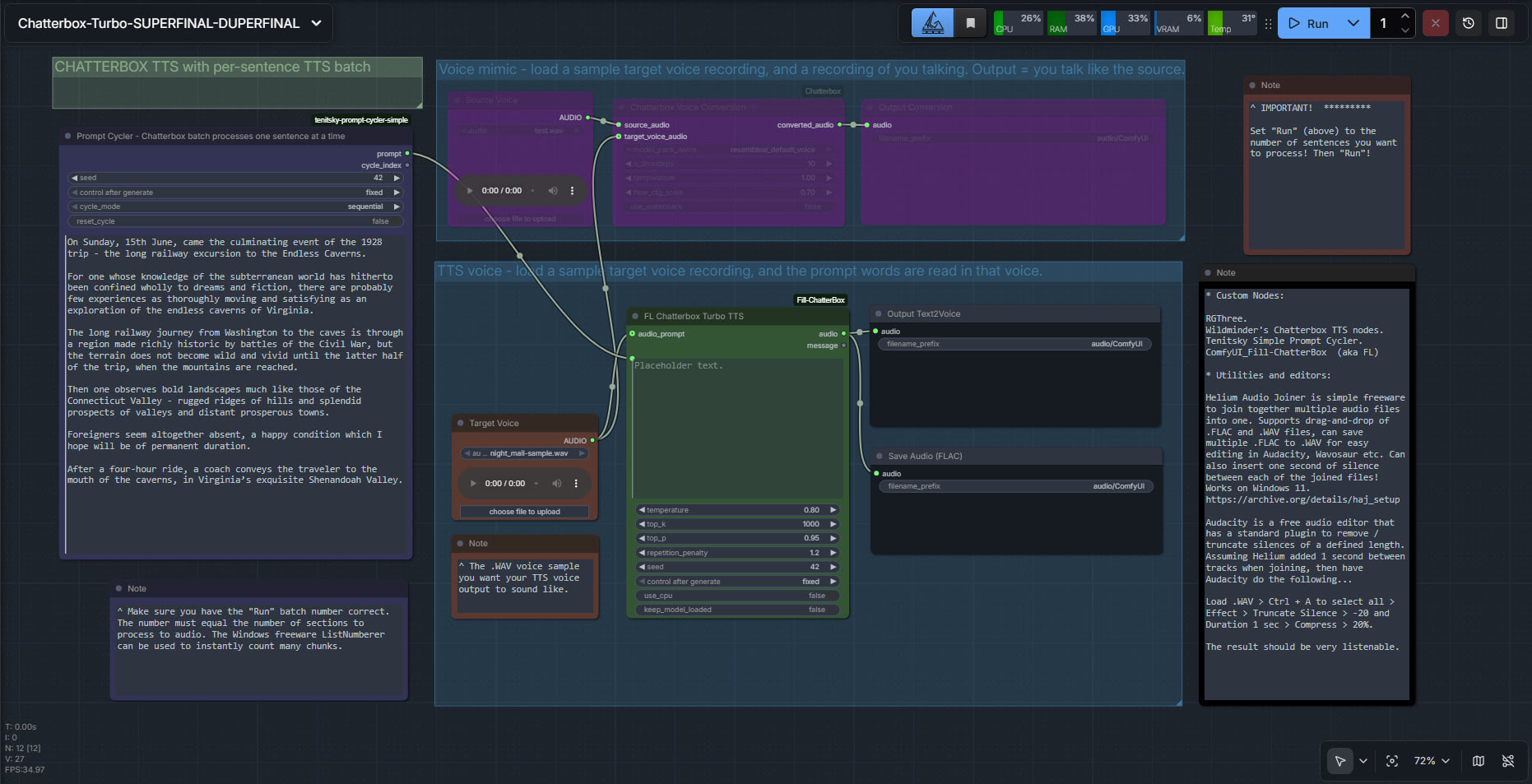
My batch workflow is supported, which also enables pausing via two bits of freeware…
Pingback: Chatterbox in ComfyUI – MyClone Poser and Daz Studio blog
Pingback: What’s New for Poser & DAZ – December 2025 – MyClone Poser and Daz Studio blog