

A few weeks ago there was a new release for Audapolis, now at 0.3.1. This is a local open-source Windows text editor for spoken-word audio, with automatic transcription. It seems to be one of those half-baked projects funded by the EU taxpayer, but it does work. Once transcribed, editing spoken audio becomes much like using a simple word-processor.
177Mb Windows .exe installer. Takes an age to install, possibly due to it being software built on Electron. But at least there’s no Python wrestling. The new user then needs to download one of three optional English offline transcription models from within the software, 40Mb, 128Mb and 1.8Gb respectively. You must have one of these to transcribe, and downloads are slow. The 128Mb model worked fine for transcribing clear TTS output. English transcription models are all American, and there’s no British, South African, Australian English versions.
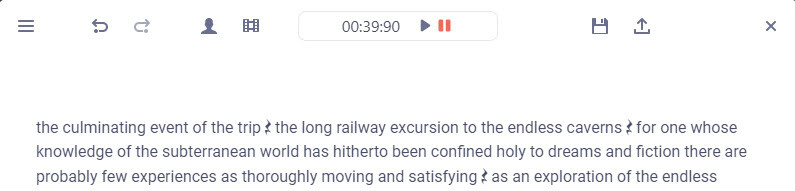
Tested and working. Choosing the small 40Mb model gives a very fast transcription of a single speaker, accurate enough. The UI is simple to operate, and the software is totally free and offline once the models are downloaded. Pauses are identified by a graphic symbol, and these can be copy-pasted elsewhere. But there is no visual indication of how long they are.
Keyboard shortcuts are not working for me, though one can rather clunkily operate them through the menu. Sadly there is as yet no “Find” or “Find and Replace” to remove filler words (e.g. find all instances of PLACEHOLDER and replace with 1 second of silence).
“Audapolis can automatically seperate different speakers in the audio file” when transcribing. Tested, but only partly successful on part of the LoTR multi-voice audiobook. Which is a difficult test. It might work better on a simple two-person podcast with American accents.