

At the end of the summer I was very happy to get the ‘Lovecraft as a Zombie’ result, using a successful combination of Poser and ComfyUI.

That was back at the end of August 2025. But then I hit a seemingly insurmountable problem, re: potentially using the process for comics production. Head and shoulders shots, of the sort likely to appear rather often in a comic, were stubbornly impossible to adjust the eyes on in ComfyUI. Even a combination of a Poser render with the eyes looking away, and robust prompting could not shift the eyes very far. This, I think, was a problem with my otherwise perfect combo of Canny, Img2Img, three LoRAs with a precise mix, and other factors. The workflow was robust with different Poser renders, but on ‘head and shoulders’ renders the eyes could only be forced slightly away from looking at the viewer/camera. It’s the curse of the “must stare at the camera” default built into AI image models, I guess.
But of course the last thing you want in a comic is the characters looking at the reader. So some solution was needed, since prompting was not going to do it. Special LoRAs and Embeddings were no use there either. Good old CrazyTalk 8.x Pro was tried, and (as many readers will recall) it can still do its thing on Windows 11. But it required painstaking manual setup and the results were not ideal. Such as tearing of the eyes when moved strongly to the side or up.
But three months after the zombie breakthrough I’ve made another breakthrough, in the form of a discovery of a free Windows AI portable. The 5Gb self-contained LivePortait instantly moves the eyes and opens the mouth of any portrait. No need to do fiddly setup like you used to have to do with CrazyTalk. You can’t control it live with a mouse, like you could with CrazyTalk, but it’s very simple to operate.

LivePortait for Windows was released about 16 months ago, with not much fanfare. Free, as with all local AI. Download, unzip, double-click run_windows_human.bat and wait a few minutes while it all loads. You are then presented with a user-interface inside your Web browser…

Scroll down to the middle section, “Retargeting and Editing Portraits”. As you can see above, it’s very simple to operate and it’s also very quick with a real-time update in microseconds. Works even on ‘turned’ heads. I’d imagine it can run even on a potato laptop.

Poser – to – SDXL in ComfyUI – to LivePortrait.
One can now start with Poser and more-or-less the character / clothes / hair you want, angle and pose them, and render. No need to worry if the eyes are going to be respected. In Comfy, use the renders as controls and just generate the image. If Comfy has the eyes turn and the prompted expression works, fine. If not, no problem. LivePortrait can likely rescue it.
The only drawback is that the final image output from LivePortrait can only be saved in the vile .WebP format. Which is noticeably poorer quality compared to the input. Soft and blurry, and as such it’s barely adequate for screen comics and definitely not for print comics.
I tried a Gigapixel upscale with sharpen, then composited with the original, erasing to get the new eyes and lips. Just about adequate for a frame of a large digital comics page, but not ideal if your reader has a ‘view frame by frame’ comic-book reader software.
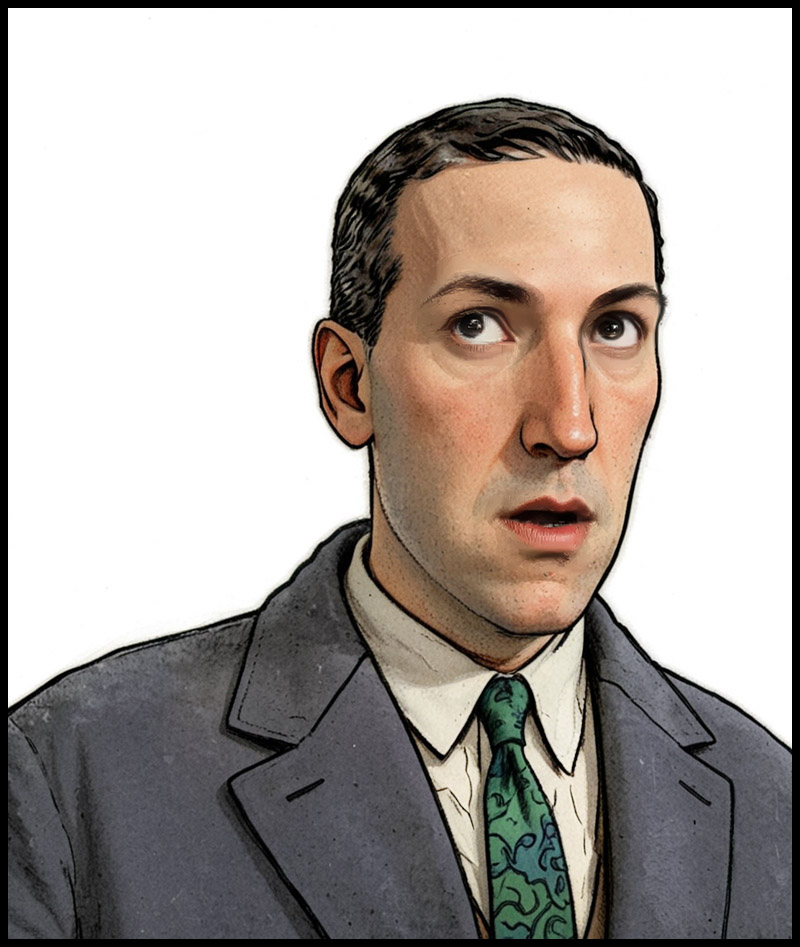
However there may be better ways. One might push the .WebP output through a ComfyUI Img2Img and upscale workflow, but this time with very low denoising. I’ve yet to try that. It might also be worth trying Flux Kontext.
For those with lots of Poser/DAZ animals, note the LivePortrait portable also has an animals mode. Kitten-tastic!
Pingback: Liveportrait in ComfyUI – MyClone Poser and Daz Studio blog