

The Aurelia Institute has launched the $20,000 Aurelia Prize in Design for Space Urbanism seeking ‘bold and creative” best space base, moonbase, Martian colony, or other space-based human settlement. Deadline: 30th January 2026. 3D and AI acceptable, but you have to specify exactly what was done.
Monthly Archives: December 2025
Chatterbox batch in ComfyUI, final workflow
Chatterbox TTS batch in ComfyUI, my final workflow with the problems of i) silence addition/truncation and ii) the chunking/batch processing both solved.
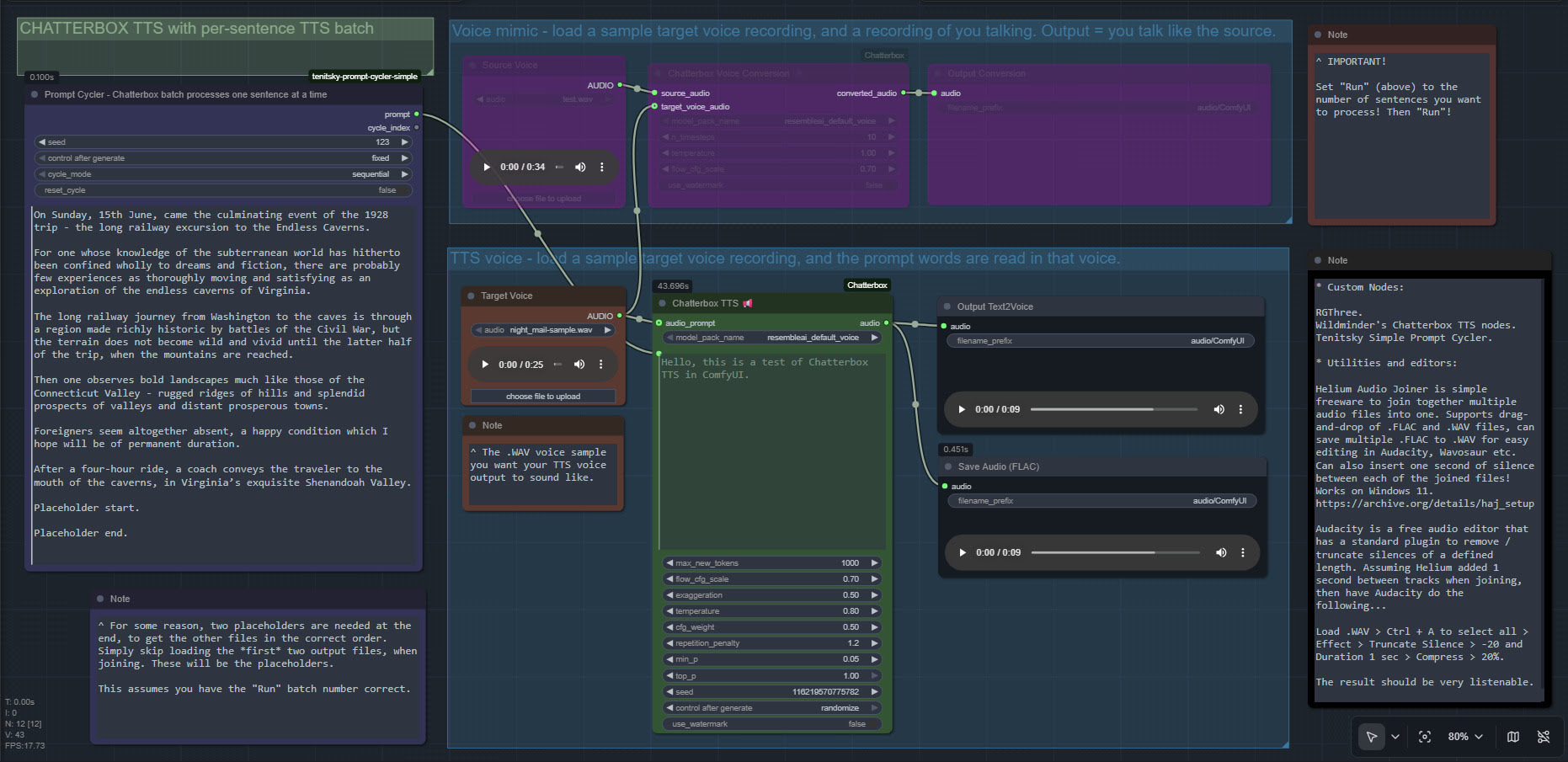
The freeware List Numberer can also be used to count the lines of input, so you know what number to input into “Run”.
Release: Audapolis 0.3.1
A few weeks ago there was a new release for Audapolis, now at 0.3.1. This is a local open-source Windows text editor for spoken-word audio, with automatic transcription. It seems to be one of those half-baked projects funded by the EU taxpayer, but it does work. Once transcribed, editing spoken audio becomes much like using a simple word-processor.
177Mb Windows .exe installer. Takes an age to install, possibly due to it being software built on Electron. But at least there’s no Python wrestling. The new user then needs to download one of three optional English offline transcription models from within the software, 40Mb, 128Mb and 1.8Gb respectively. You must have one of these to transcribe, and downloads are slow. The 128Mb model worked fine for transcribing clear TTS output. English transcription models are all American, and there’s no British, South African, Australian English versions.
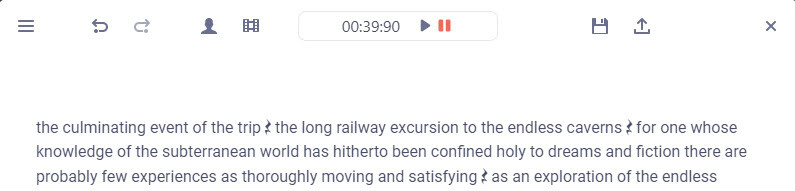
Tested and working. Choosing the small 40Mb model gives a very fast transcription of a single speaker, accurate enough. The UI is simple to operate, and the software is totally free and offline once the models are downloaded. Pauses are identified by a graphic symbol, and these can be copy-pasted elsewhere. But there is no visual indication of how long they are.
Keyboard shortcuts are not working for me, though one can rather clunkily operate them through the menu. Sadly there is as yet no “Find” or “Find and Replace” to remove filler words (e.g. find all instances of PLACEHOLDER and replace with 1 second of silence).
“Audapolis can automatically seperate different speakers in the audio file” when transcribing. Tested, but only partly successful on part of the LoTR multi-voice audiobook. Which is a difficult test. It might work better on a simple two-person podcast with American accents.
Chatterbox in ComfyUI
I finally got Chatterbox text-to-speech working in ComfyUI, which may be of interest to animators and other MyClone readers needing audio voices. It’s one of a half-dozen local equivalents to ElevenLabs voices. Chatterbox seems the best all-round local option for audio output that’s keyed to a reference .WAV, and also for voice cloning. At least in English. It’s reasonably fast, quite tolerant of less-than-perfect input audio, runs on 12Gb of VRAM, and produces accurate output of longer than 30-seconds in a reasonable time.
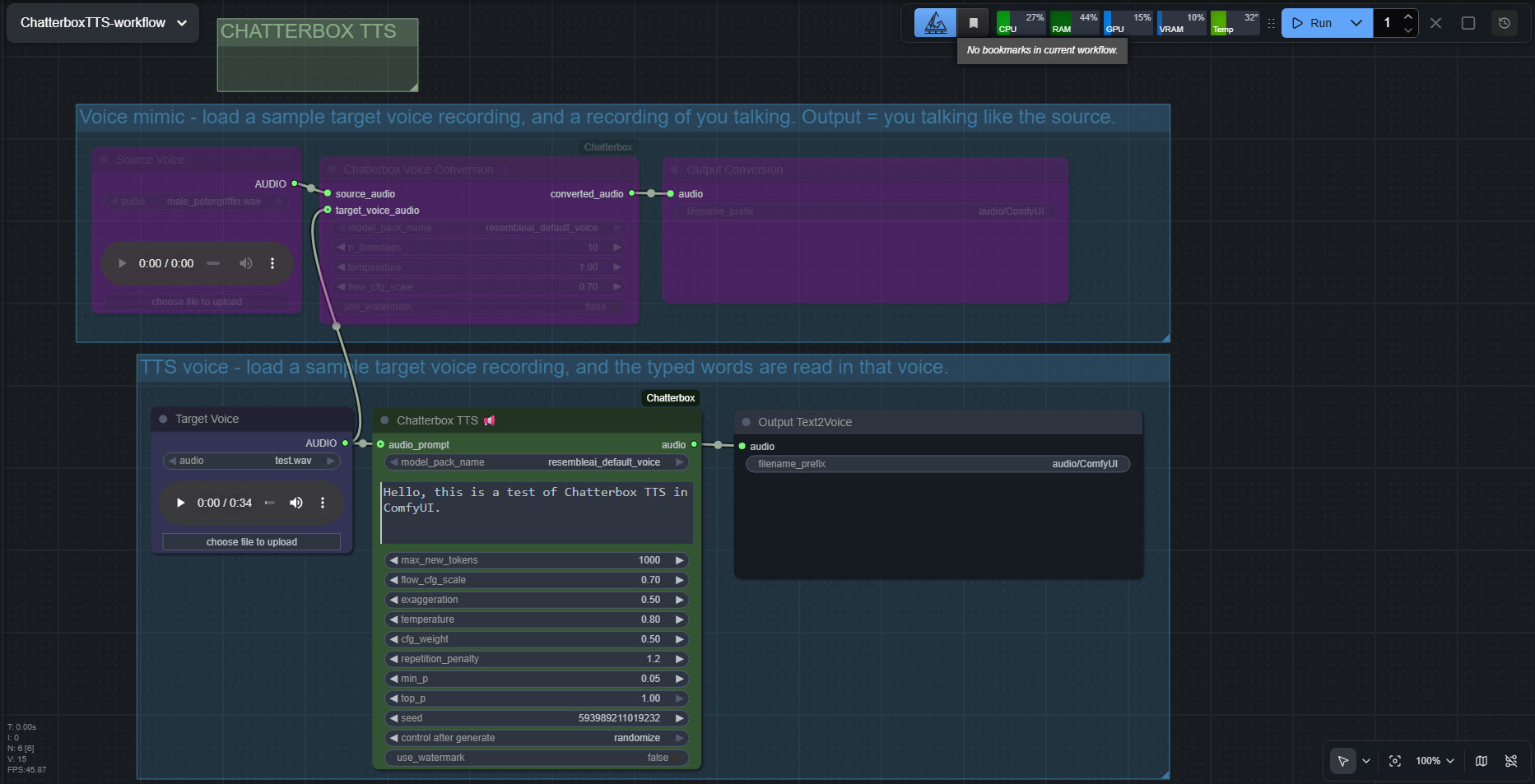
The huge drawback is that the TTS side of it (see image above, of the ‘two-workflows in one’ workflow) lacks any pause-control between sentences or paragraphs, which will be an immediate deal-breaker for many who are used to the fine-grained control offer by SAPI5 TTS. The voice mimic side keeps pauses, and incidentally works far faster than the TTS side.
There’s a Chatterbox portable, but it failed with errors. Install via pip install chatterbox-tts also fails miserably due to requiring antique versions of pkuseg and numpy, incompatible with Python 3.12.
But it is possible. So… assuming you want to try it… to install in ComfyUI on Windows, first you’d get the latest ComfyUI. Ideally one of the portables. Then install in it the newer Wildminder ComfyUI Chatterbox custom nodes rather than older Chatterbox nodes…
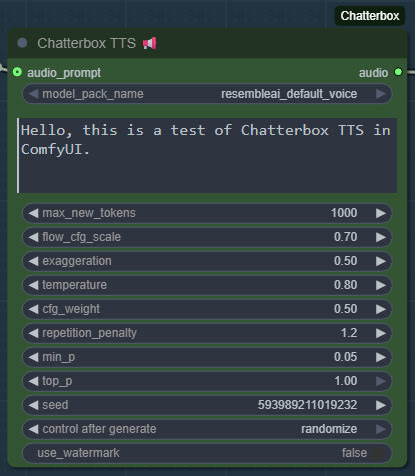
Then get the Chatterbox’s nodes many Python dependencies installed, via the Windows CMD window, thus…
C:\ComfyUI_Windows_portable\python_standalone\python.exe -s -m pip install -r C:\ComfyUI_Windows_portable\ComfyUI\custom_nodes\ComfyUI-Chatterbox\requirements.txt
This command string ensures it’s the ComfyUI Python that’s installed to, not your regular Python. Note that pip needs to be able to get though your firewall and access the Internet, to fetch the requirements. You may need to do this twice, if the first time doesn’t get the required Python module ‘Perth’.
These newer ComfyUI custom nodes, unlike older ones are… “No longer limited to 40 seconds” of audio generation. Nice. Though, for a 30 seconds+ length, you will need to have have enough VRAM — 12Gb may not be enough.
Note that Wildminder’s nodes need the .safetensors models rather than the old .pt models. I tried all the custom nodes that instead use the .pt format, and installed their models and requirements, but they all failed in some way and thus didn’t work. Wildminder’s Chatterbox nodes are the only ones which work for me.
So, for Wildminder’s Chatterbox nodes you then need the correct models to work with, manually downloaded locally and requiring around 3.5Gb of space…
Cangjie5_TC.json
conds.pt (possible not needed, but it’s small)
grapheme_mtl_merged_expanded_v1.json
mtl_tokenizer.json
s3gen.safetensors
t3_cfg.safetensors
tokenizer.json
ve.safetensors
For manual local installation in the ComfyUI portable, the above models and support-files go in…
C:\ComfyUI_Windows_portable\ComfyUI\models\tts\chatterbox\resembleai_default_voice\
You should then be able to have ComfyUI run one of the simple workflows that download alongside the Wildminder ComfyUI Chatterbox nodes…
Note that this node-set does not support the new faster Chatterbox Turbo, and at present it seems there isn’t ComfyUI node support for Turbo. Turbo was only released a few days ago, though, so give it time. Turbo lacks the “exaggeration” slider which can add expressiveness, and is apparently limited to 300 characters (about 40 words)… but has tags to add vocals such as [cough] [laugh] etc and apparently supports the [pause:05s] tag for pauses. [Update: I was misinformed about the pause tag, it doesn’t seem to be respected in Turbo].
I assume Chatterbox will not work on Windows 7, due to the limitations on CUDA and PyTorch versions in 7.
Update: I am left with two problems. Batch processing of a longer text, called ‘chunking’ by audiophiles. And the problem of inserting longer silences between sentences, the default not being long enough even with a low CFG setting. As for silences, the free Lengthen Silences plugin for Audacity can detect silence pauses of a certain length (e.g. between sentences) in your mono spoken-audio file, and then it automatically inserts longer pauses to your specified length. The mono version of the plugin works in Audacity 2.4.2 on Windows 11.
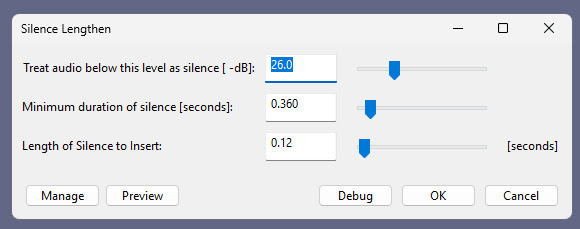
For simply auto-deleting pure silences, Wavosaur is easier.
Update 2: Chunking and silence removal solved…
Update 3: [pause:1.0s] functionality added, December 2025.
TurnipMania has hacked Wildminder’s tts.py file to add pause support in the format [pause:0.5s]. https://github.com/TurnipMania/ComfyUI-Chatterbox/blob/a9f38604c7be2cd2077c69486e168b0f4d995749/src/chatterbox/tts.py Backup the old file found in ..\ComfyUI\custom_nodes\ComfyUI-Chatterbox\src\chatterbox\ and replace it with the new one. Tested and working.
Update 4: Turbo now supported in ComfyUI.
Liveportrait in ComfyUI
An update to yesterday’s post on the LivePortrait standalone/portable for Windows. The poor quality and different-sized .WebP output spurred me to get it working in ComfyUI. And hurrah, I now have a simple Liveportrait expression/gaze-direction changer working in ComfyUI. With .PNG output of the same size as the input.

The controls are not so intuitive as in the portable, so I’ve added a note explaining what the settings do.
Models are already in the portable, if you downloaded that yesterday after seeing my post. Just copy them over to their relevant ComfyUI ../models/liveportrait sub-folders.

You then only need ComfyUI, these custom nodes, and the extra face detection models linked to there.
Slightly slower than the portable, four seconds rather than one, but then there’s no low-grade .WebP in the mix. The above workflow should (theoretically) also work on Macs and Linux.
Update: I hear there is now a newer alternative, China’s HunyuanPortrait, but it takes far longer, needs a powerful graphics-card, and is said to lack ‘human-ness’ in the output.
Even more progress in Poser to Stable Diffusion
At the end of the summer I was very happy to get the ‘Lovecraft as a Zombie’ result, using a successful combination of Poser and ComfyUI.

That was back at the end of August 2025. But then I hit a seemingly insurmountable problem, re: potentially using the process for comics production. Head and shoulders shots, of the sort likely to appear rather often in a comic, were stubbornly impossible to adjust the eyes on in ComfyUI. Even a combination of a Poser render with the eyes looking away, and robust prompting could not shift the eyes very far. This, I think, was a problem with my otherwise perfect combo of Canny, Img2Img, three LoRAs with a precise mix, and other factors. The workflow was robust with different Poser renders, but on ‘head and shoulders’ renders the eyes could only be forced slightly away from looking at the viewer/camera. It’s the curse of the “must stare at the camera” default built into AI image models, I guess.
But of course the last thing you want in a comic is the characters looking at the reader. So some solution was needed, since prompting was not going to do it. Special LoRAs and Embeddings were no use there either. Good old CrazyTalk 8.x Pro was tried, and (as many readers will recall) it can still do its thing on Windows 11. But it required painstaking manual setup and the results were not ideal. Such as tearing of the eyes when moved strongly to the side or up.
But three months after the zombie breakthrough I’ve made another breakthrough, in the form of a discovery of a free Windows AI portable. The 5Gb self-contained LivePortait instantly moves the eyes and opens the mouth of any portrait. No need to do fiddly setup like you used to have to do with CrazyTalk. You can’t control it live with a mouse, like you could with CrazyTalk, but it’s very simple to operate.

LivePortait for Windows was released about 16 months ago, with not much fanfare. Free, as with all local AI. Download, unzip, double-click run_windows_human.bat and wait a few minutes while it all loads. You are then presented with a user-interface inside your Web browser…

Scroll down to the middle section, “Retargeting and Editing Portraits”. As you can see above, it’s very simple to operate and it’s also very quick with a real-time update in microseconds. Works even on ‘turned’ heads. I’d imagine it can run even on a potato laptop.

Poser – to – SDXL in ComfyUI – to LivePortrait.
One can now start with Poser and more-or-less the character / clothes / hair you want, angle and pose them, and render. No need to worry if the eyes are going to be respected. In Comfy, use the renders as controls and just generate the image. If Comfy has the eyes turn and the prompted expression works, fine. If not, no problem. LivePortrait can likely rescue it.
The only drawback is that the final image output from LivePortrait can only be saved in the vile .WebP format. Which is noticeably poorer quality compared to the input. Soft and blurry, and as such it’s barely adequate for screen comics and definitely not for print comics.
I tried a Gigapixel upscale with sharpen, then composited with the original, erasing to get the new eyes and lips. Just about adequate for a frame of a large digital comics page, but not ideal if your reader has a ‘view frame by frame’ comic-book reader software.
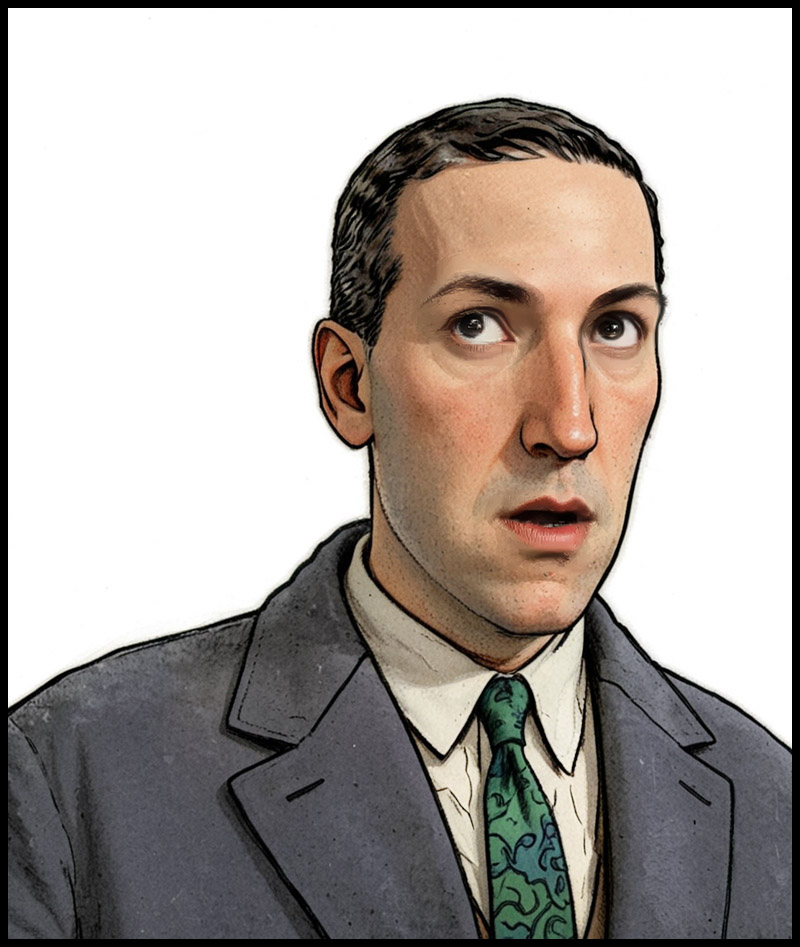
However there may be better ways. One might push the .WebP output through a ComfyUI Img2Img and upscale workflow, but this time with very low denoising. I’ve yet to try that. It might also be worth trying Flux Kontext.
For those with lots of Poser/DAZ animals, note the LivePortrait portable also has an animals mode. Kitten-tastic!
New for Poser and DAZ, November 2025
Once again here’s my regular page of picks for the Poser and DAZ Studio software, as released more or less in November 2025. I also add in a small survey of other useful software and tutorials etc.
Science fiction:
1971’s Diesel Disc, now for DAZ Studio.
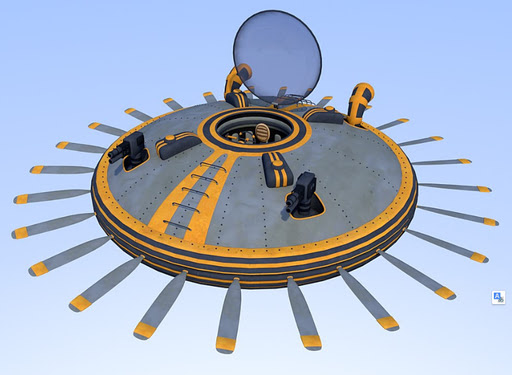

The ships probably deploy Military Heavy Mechs.
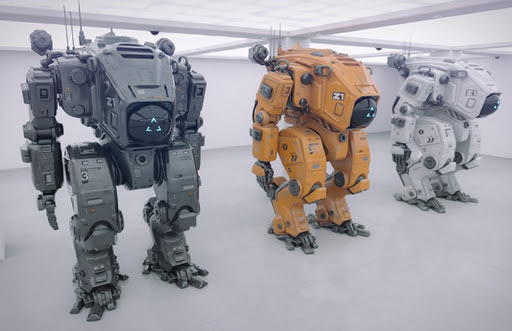
Want to escape from the mechs? Don the Gravity Boots for G8. I assume they do anti-gravity, as well as clamping you to a metal spaceship.

Gothic and horror:
1971’s Futuristic Temple for DAZ and Poser.
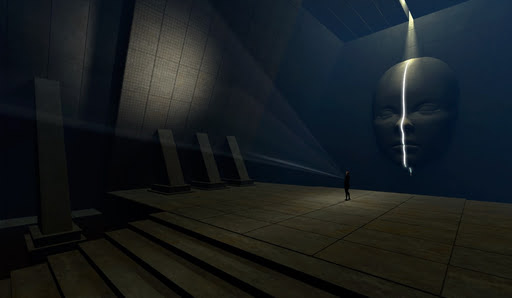
And behind the door? Possibly the Theta Black alien display cases.

The Curator of this alien museum? Perhaps the new AB Master of Horror for Genesis 9. Hmmm, now there’s a familiar face. Which could no doubt be tweaked into even more of a resemblance to the master, especially by adding suitable new hair and a 1920s suit. Neither of which yet exists for G9 specifically, I find.

Fantasy:
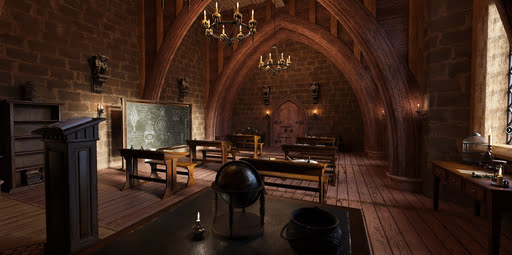
Hogwarts style FG Magic Classroom. I forget the movies, so I’m not sure how close to fan-art this is. But maybe not for commercial use?
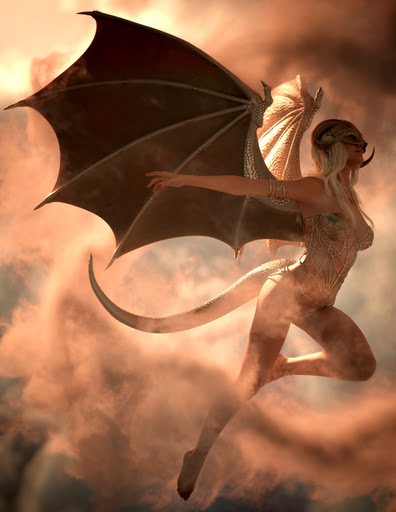
Dragon Wings and Tail for Genesis 9. Plus an impressive Dragonscale LIE Textures Add-On.
Toon:
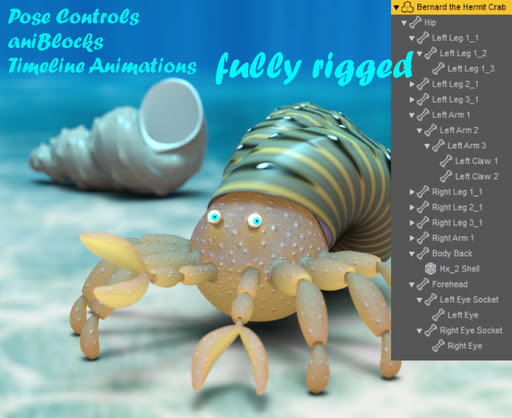
Bernard the Hermit Crab for DAZ, free.
Basted, a toon turkey for Poser.
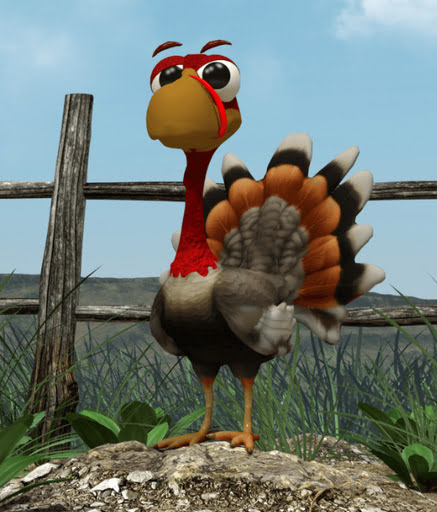
Free Polly – Morph Preset for Aiko 3.

3D figures, poses, parts and clothes:
Fully opening dForce Classic Umbrella with materials, poses and hand poses.

Free Chorus poses for K4, Christmas carol singing poses for Kids 4.
A free female Santa Costume for G8F.
Landscapes and environments:
Shattered Ground, possibly especially useful for super-heavy superhero landings.

UltraScenery2 – Snake Bridge, a sort of English Midlands canal-bridge with a twist.
Simple Debris mound props in .OBJ and E-on Vue format.
Free, 75 crop circles in .OBJ format.
Giant Kelp for Vue, for your underwater ‘kelp forest’ scenes.
Animals:
Songbird Remix Shorebirds Vol 5 – Storks of the World.
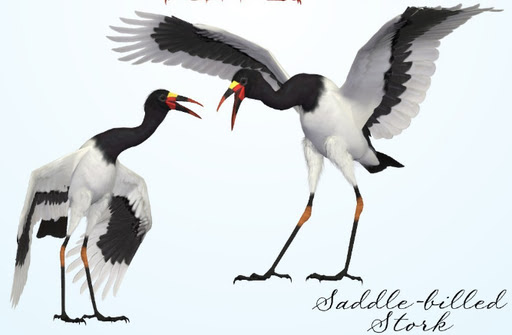
Free Songbird ReMix Bundle of Joy, for storks bringing babies.

Historical:
XI Desert Port, nicely done and could be slightly adapted for Conan by hiding the minarets and adding some fantasy-style clutter.

Free Firefly Mats for Snood Hair, a mediaeval hair style. Also for Poser SuperFly.

A free Early 18th Century English Martial Musket.
A pleasing small Painter’s Workshop for DAZ Studio, for starving artists everywhere.

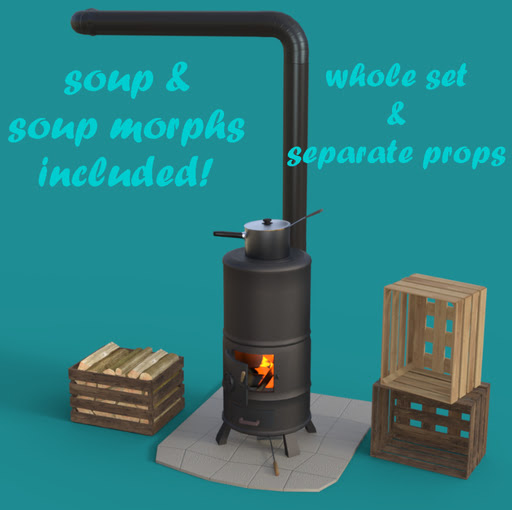
Want to keep your starving artist warm? Just add the free Ross Stove 01 stove and props.
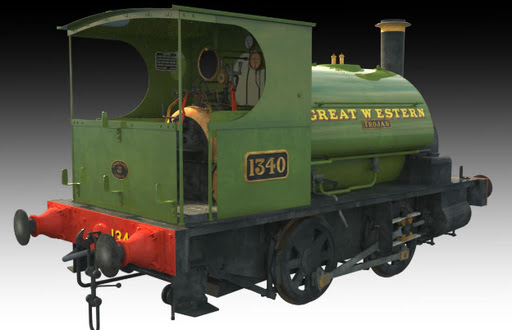
DryJack’s GWR Saddle Tank Engine, complementing his extensive railway range. His Share CG freebies are in the ShareCG-backup bundle.
Tutorials:
A new 45 minute YouTube tutorial on Understanding Lighting and tips on lighting 3D scenes in Poser.
Scripts and other auto-helpers:
DAZ Studio 4 Scene Tools 4 – Morph Tools.
New software releases:
Poser 14 has been released. Has the latest version of Blender Cycles (aka SuperFly in Poser), and more. The $100 Upgrade for Windows is here. Last I heard it should upgrade from any paid licenced version of Poser, but that may have changed with 14?
* The Poser-friendly E-on Vue, now wholly free, has a further chance to go open-source if enough potential guardians/developers are interested.
* A new Web page for all the free/libre fonts used for David Revoy’s Pepper & Carrot Creative Commons comic-strip and books.
* The desktop edition of ZBrush is finally getting a new User Interface. The notoriously unintuitive UI seems set to gets its makeover early in 2026. The new UI will also be customisable.
* Those with large websites may be interested in LibreCrawl: free open-source desktop SEO crawler. Similar to the go-to Screaming Frog software, it can auto-check for bad or redirected links and output a spreadsheet.
Local generative AI:
All free, as is the way with local AI.
* Stable Audio 2.5 Official Prompt Guide. Most of these will also work for generating audio clips with Stable Audio 1.0, which can run in ComfyUI or there’s a slower Windows standalone on the Internet Archive.
* Flux Fill. Who knew? It seems this Edit model got lost and forgotten about in the tidal wave of new models in the summer/autumn of 2025. An Edit version of Flux dedicated to perfectly erasing (‘infilling’) items in a picture, or expanding (‘outpainting’) the picture by taking into account what’s already there. There’s a Flux Fill Workflow Step-by-Step Guide and note also the GGUF’s at OneReward-GGUF. This offers not only .GGUF files for those with lesser graphic-cards, but at the same time also a slightly later fine-tune by ByteDance Research — which greatly ramped up the model’s abilities to reach the paid-for Flux ‘Pro’ levels! (Update: My tests show it’s not a way to shift eye-gaze direction, and thus reliably get around the “must stare at the camera” problem).
* The new Gausian Video Editor, which looks like the first “local video editor for AI video production”.
* The amazing Z-Image Turbo was released last week, and such is the community enthusiasm that a unified Controlnet and over 300 LoRAs are already available.
That’s for now, more after Christmas.
Contest: Internet Archive’s Public Domain Film Contest 2026
The copyright release season approaches. The Internet Archive is running a contest for creative short films that use public domain material, especially the releases due on 1st January 2026.
Make a 2-3 minute short film, and add an equally open soundtrack. No ban on the use of AI, which is especially notable since good-quality local AI Video2Video generation has become accessible/affordable in the last year. But I’d image that the original footage is what the judges will be looking out for. The 1930 date suggests obvious linkages with early pulp science-fiction. Deadline: 7th January 2026.
Here’s a survey of what’s entering the public domain in 2026, with a focus on fantasy, science-fiction and horror.
Test: Z-Image Turbo Controlnet and a basic Poser render
Success with a quick initial setup and test of the new unified Controlnet for Z-Image Turbo, using a Poser render as the source image. My source render here is the Meshbox H.P. Lovecraft figure for Poser, with an M4 ‘shambling zombie’ pose applied, rendered as a basic greyscale + some Comic Book lines, Preview render.
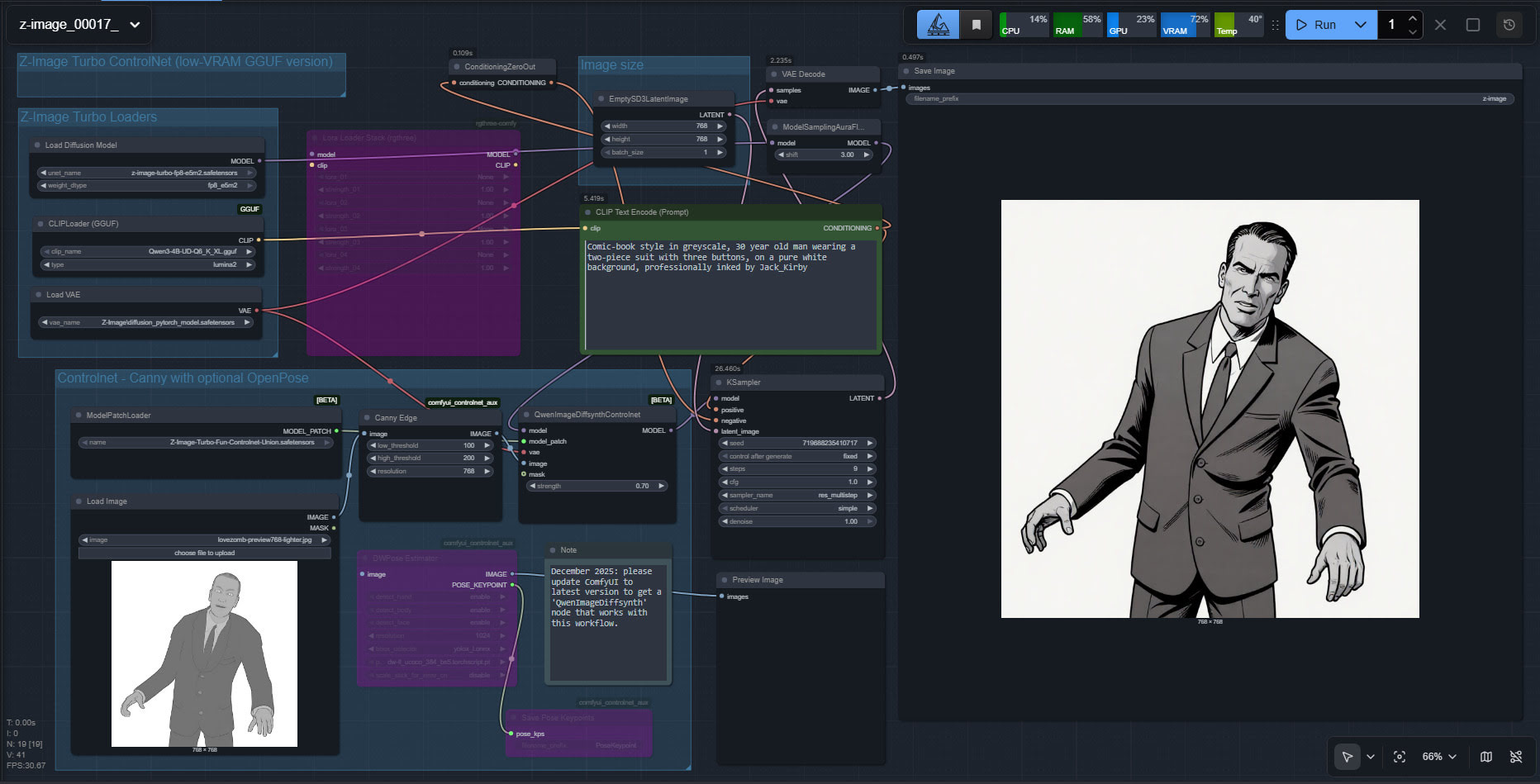
The workflow is ComfyUI. Z-Image Turbo is very responsive, so this prompt could be refined for facial expression and eye-direction. Also, there are no style LoRAs being applied here.
Turns out Z-Image Turbo does know the names of classic Marvel comics artists, but you have to do Jack_Kirby instead of Jack Kirby, or Steve_Ditko etc. Sadly it has no idea who H.P. Lovecraft was, under any variant of the name. Hence the different-looking head.
Very precise adherence to the basics of the source image. A reasonable 26 second render time. Apparently the ideal with this particular Controlnet is to stop it a few steps short of the final image, so that Z-Image has more of a chance to do its magic. That’s not happening here. But I’ll investigate that option at the weekend, so be aware that the above workflow is just a first try and is not optimal.
Z-Image Turbo is local and under a full permissive Apache 2.0 license, which means it can be used commercially and so can the outputs.