

I finally got Chatterbox text-to-speech working in ComfyUI, which may be of interest to animators and other MyClone readers needing audio voices. It’s one of a half-dozen local equivalents to ElevenLabs voices. Chatterbox seems the best all-round local option for audio output that’s keyed to a reference .WAV, and also for voice cloning. At least in English. It’s reasonably fast, quite tolerant of less-than-perfect input audio, runs on 12Gb of VRAM, and produces accurate output of longer than 30-seconds in a reasonable time.
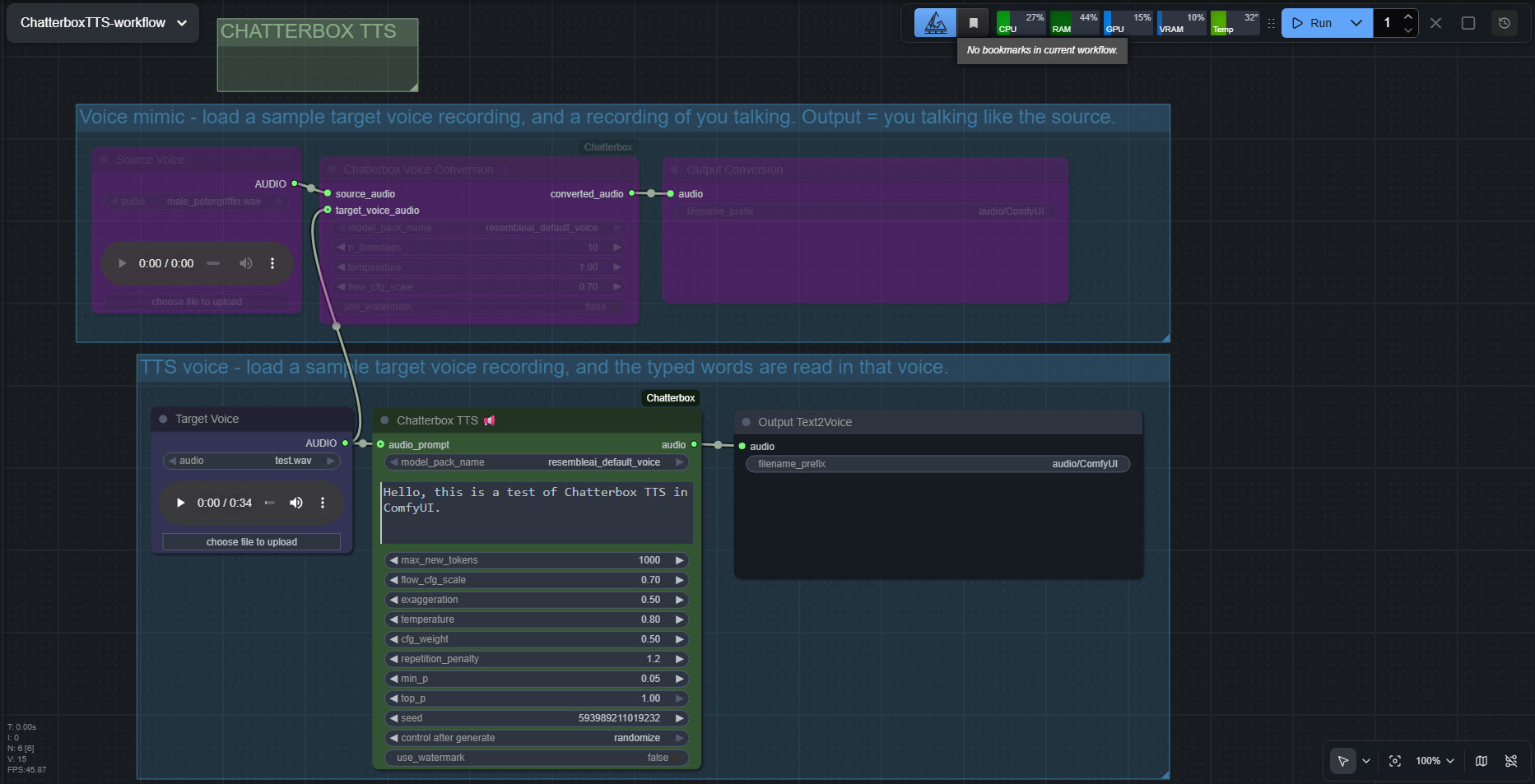
The huge drawback is that the TTS side of it (see image above, of the ‘two-workflows in one’ workflow) lacks any pause-control between sentences or paragraphs, which will be an immediate deal-breaker for many who are used to the fine-grained control offer by SAPI5 TTS. The voice mimic side keeps pauses, and incidentally works far faster than the TTS side.
There’s a Chatterbox portable, but it failed with errors. Install via pip install chatterbox-tts also fails miserably due to requiring antique versions of pkuseg and numpy, incompatible with Python 3.12.
But it is possible. So… assuming you want to try it… to install in ComfyUI on Windows, first you’d get the latest ComfyUI. Ideally one of the portables. Then install in it the newer Wildminder ComfyUI Chatterbox custom nodes rather than older Chatterbox nodes…
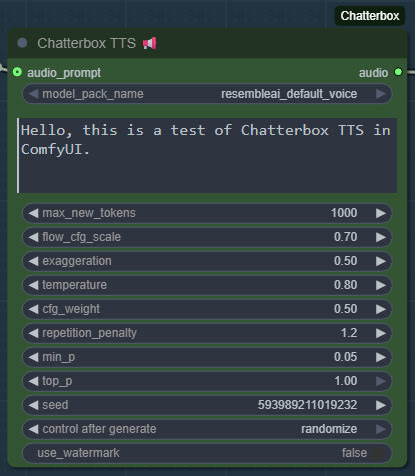
Then get the Chatterbox’s nodes many Python dependencies installed, via the Windows CMD window, thus…
C:\ComfyUI_Windows_portable\python_standalone\python.exe -s -m pip install -r C:\ComfyUI_Windows_portable\ComfyUI\custom_nodes\ComfyUI-Chatterbox\requirements.txt
This command string ensures it’s the ComfyUI Python that’s installed to, not your regular Python. Note that pip needs to be able to get though your firewall and access the Internet, to fetch the requirements. You may need to do this twice, if the first time doesn’t get the required Python module ‘Perth’, a watermarking module without which Chatterbox refuses to work. If that doesn’t work then CMD and do this…
C:\ComfyUI_Windows_portable\python_standalone\python.exe -m pip install resemble-perth
Note that this is the special resemble-perth and not the regular perth. Even then, 90% of people will not be able to get past the infernal and fatal Perth errors, and will give up on Chatterbox. It’s so sad that forced watermarking will have bjorked a great TTS and made it unusable, for most people.
If you do succeed (an afternoon’s complex work), then these newer ComfyUI custom nodes, unlike older ones are… “No longer limited to 40 seconds” of audio generation. Nice. Though, for a 30 seconds+ length, you will need to have have enough VRAM — 12Gb may not be enough.
Note that Wildminder’s nodes need the .safetensors models rather than the old .pt models. I tried all the custom nodes that instead use the .pt format, and installed their models and requirements, but they all failed in some way and thus didn’t work. Wildminder’s Chatterbox nodes are the only ones which work for me.
So, for Wildminder’s Chatterbox nodes you then need the correct models to work with, manually downloaded locally and requiring around 3.5Gb of space…
Cangjie5_TC.json
conds.pt (possibly not needed, but it’s small)
grapheme_mtl_merged_expanded_v1.json
mtl_tokenizer.json
s3gen.safetensors
t3_cfg.safetensors
tokenizer.json
ve.safetensors
For manual local installation in the ComfyUI portable, the above models and support-files go in…
C:\ComfyUI_Windows_portable\ComfyUI\models\tts\chatterbox\resembleai_default_voice\
Regrettably it seems Chatterbox doesn’t respect ComfyUI’s extra_model_paths.yaml and so you’ll need a filled ..\chatterbox\resembleai_default_voice\ folder for each installation of ComfyUI on your PC. Or move the old folder to the new ComfyUI version.
You should then be able to have ComfyUI run one of the simple workflows that download alongside the Wildminder ComfyUI Chatterbox nodes…
Note that this node-set does not support the new faster Chatterbox Turbo, and at present it seems there isn’t ComfyUI node support for Turbo. Turbo was only released a few days ago, though, so give it time. Turbo lacks the “exaggeration” slider which can add expressiveness, and is apparently limited to 300 characters (about 40 words)… but has tags to add vocals such as [cough] [laugh] etc and apparently supports the [pause:05s] tag for pauses. [Update: I was misinformed about the pause tag, it doesn’t seem to be respected in Turbo].
I assume Chatterbox will not work on Windows 7, due to the limitations on CUDA and PyTorch versions in 7.
Update: I am left with two problems. Batch processing of a longer text, called ‘chunking’ by audiophiles. And the problem of inserting longer silences between sentences, the default not being long enough even with a low CFG setting. As for silences, the free Lengthen Silences plugin for Audacity can detect silence pauses of a certain length (e.g. between sentences) in your mono spoken-audio file, and then it automatically inserts longer pauses to your specified length. The mono version of the plugin works in Audacity 2.4.2 on Windows 11.
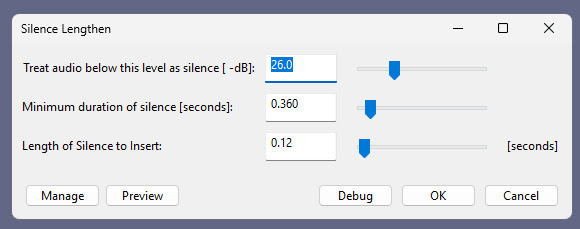
For simply auto-deleting pure silences, Wavosaur is easier.
Update 2: Chunking and silence removal solved…
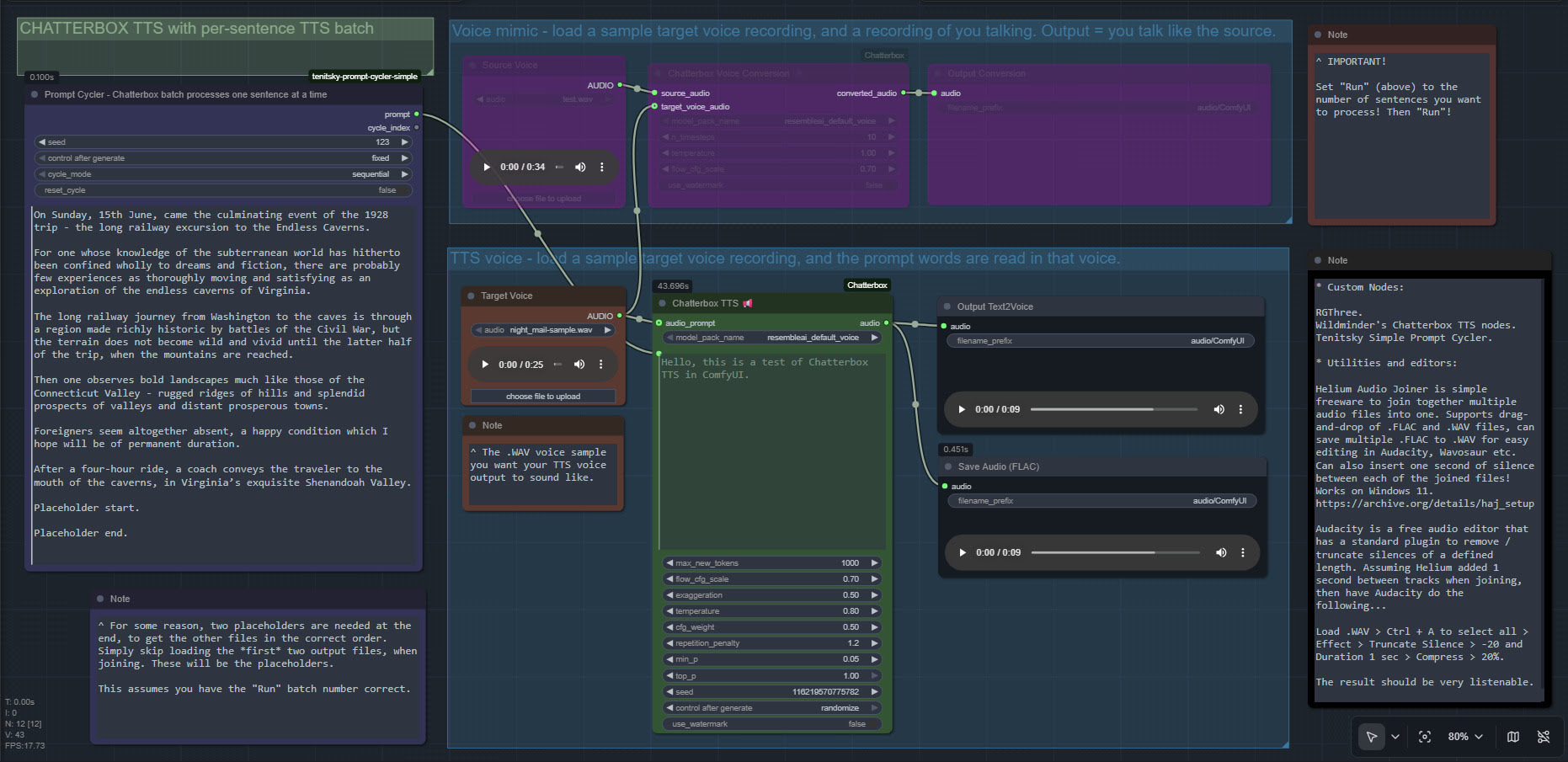
Update 3: [pause:1.0s] functionality added, December 2025.
TurnipMania has hacked Wildminder’s tts.py file to add pause support in the format [pause:0.5s]. https://github.com/TurnipMania/ComfyUI-Chatterbox/blob/a9f38604c7be2cd2077c69486e168b0f4d995749/src/chatterbox/tts.py Backup the old file found in ..\ComfyUI\custom_nodes\ComfyUI-Chatterbox\src\chatterbox\ and replace it with the new one. Tested and working.
Update 4: Turbo now supported in ComfyUI.
Important Update, summer 2026: So far as I can tell, Chatterbox doesn’t support the latest Python 3.14.x, which totally bjorks it on the latest ComfyUI Portable. It may need an older Portable. Mine runs on ComfyUI 0.12.1, Pytorch 2.8.0, CUDA 12.8.
Pingback: Release: Paragraph Tripler 1.0 – MyClone Poser and Daz Studio blog