The short film Heroes of Bronze has a release date and teaser-trailer with the date.

Read a long interview with maker Martin Klekner in the recent “Warriors” themed issue of Digital Art Live magazine (#71, August 2022).


The short film Heroes of Bronze has a release date and teaser-trailer with the date.
Read a long interview with maker Martin Klekner in the recent “Warriors” themed issue of Digital Art Live magazine (#71, August 2022).
Dream Textures is the Stable Diffusion AI, sending AI-gen textures direct to the Blender shader editor. Can be used with DreamStudio as the paid Cloud generator.
Since Poser does Python, I don’t see why something similar couldn’t be done for Poser. Doubtless there will soon be AI’s that can take a text-prompt and pop out a finished .PBR material. For example: “Make me a lava material that looks like glowing snake-skin”.
 Posted in Companion software, Spotted in the News, The Animation Industry
Leave a comment
Posted in Companion software, Spotted in the News, The Animation Industry
Leave a comment
Blender 3.4 has some interesting new features, including storyboarding and PBR.
* A new storyboarding tool called Storypencil, said to be tested and production-ready. It works in tandem with the Video Sequence Editor, and is intended for making rough animatic sequences or saving out storyboard images. Multiple SVG files can also be imported.

Update: It was in the beta but appears to have been pulled from the final. To get it: i) Get the 3.4 beta and 3.4 final; ii) install both; iii) copy Storypencil folder from Scripts | Addons_contrib to the same folder in Blender 3.4 final.
* Yet more Grease Pencil improvements. It now has some improved maths ‘under the hood’, working to auto-close gaps in line-art when using the Fill tool to colour.
* PBR support. Apparently this wholly new, which if true is kind of amazing? Anyway, the .MTL material files that accompany .OBJs can now call the full range of PBR material sets, including Principled BSDF materials. Poser 11 and 12 now support Cycles BSDF, so there may be potential here for making PBR’d .OBJs in Blender for use in Poser.
Amazon has open-sourced its Krakatoa VFX particle renderer and the associated shader system. Appears to be Maya focused, so I guess they were/are using this for the Amazon TV VFX. The VFX world has many particle-generators / particle-renderers by now, but this one is said to be especially “fast”. That’s the only claim made for it, at least on the GitHub. Still, if you were looking to plug a fast particle system into Poser 13, I see lots of .PY scripts in the Krakatoa GitHub and it might be something to consider.
Posted in Companion software, Spotted in the News, The Animation Industry
Leave a comment
The worthy 2D Cartoon Animator 5 has been released (formerly CrazyTalk Animator), and there’s now an official Cartoon Animator 5 Demo Video released today.

* SVG support, templates, import. Round-trip to CorelDraw, InkScape etc.
* Spring dynamics and free-form deformation grid.
* Better library, integrated download of the free bits (scripts etc) that you could only get from the site.
* No cheap “Pro” version any more [the former division was Pro (i.e. Standard) and Pipeline (i.e. proper Pro, expensive)] and it appears there is now just one version. Currently a reasonable $129. This appears to include the After Effects scripts that were in Pipeline. So if you can now effectively get Pipeline for $129 that’s quite a bargain. Though, as always, beware that the paid add-on packs and plug-ins will ramp up the overall price considerably over time.

That said, there’s backwards compatibility for those with old character and prop libraries. You can still use characters back to G1, in Cartoon Animator 5, it’s said.
Not sure if it still supports conversion from .SWF to prop. It used to, because it had its own Flash module under the hood.
Posted in Companion software, Freebies, Spotted in the News, The Animation Industry, Vue
Leave a comment
According to the Newsletter, Terragen 4.6 is about to be released. This being the first big update for the advanced 3D landscape desktop software in two years.
* Windows now has .VBD export (was previously Linux only).
* Export clouds in .VBD for use in Blender etc.
* Better sRGB support.
* Better .FBX import, better .FBX export compatibility with Unreal Engine.
* Now with import and export of population caches as XML, as well as binary.
* Rendering speed improvements, faster Preview renders.
* Pro users get an experimental pipeline for RPC integration with other third-party tools.
* An open-source RPC Python module, so you can write Python scripts enabling other software to ‘talk’ to Terragen.
* Geolocation (aka “Georeferencing”) is said to become free in the Terragen 4.6 Free (aka Learning Edition, Non-Commercial). So far as I can tell, this is about aligning tiles side by side, rather than grabbing a DEM landscape tile from a user-friendly Google Earth style world-browser.
Still supports Windows 7+, and the update is free. Terragen 4 Free is free, and then currently Terragen 5 Creative is $299, the Pro is $599. A Mac version is coming soon, and a fun nodes-free ‘sky making’ Terragen Sky tool is also coming in December 2022.
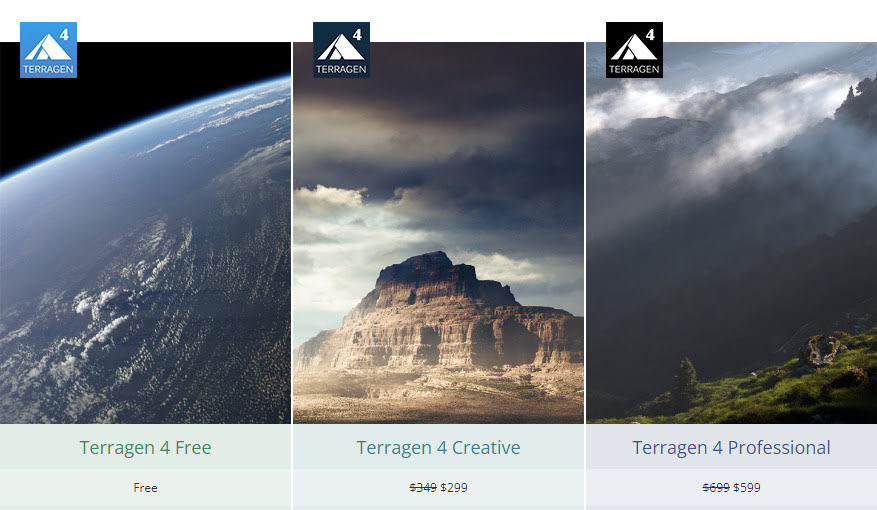
Planetside Software (website has yet to update to 4.6 details/downloads. but should soon) and see also the YouTube channel.
Posted in Companion software, Spotted in the News, The Animation Industry
Leave a comment
Reallusion’s Cartoon Animator 5 desktop cartoon production software is coming soon, and there are offers in the emails such as ‘buy an upgrade and get version 5 free when it appears’. It’s good software for making that kind of animation, especially for a small studio. Professional, fairly easy to use, very well documented and supported. Though you to be aware that you probably need to budget four times the initial ‘sticker price’, if you’re going to fully get into the expensive Reallusion ecosystem with motion add-ons and expansion packs and suchlike.

Posted in Companion software, Freebies, Spotted in the News, The Animation Industry
Leave a comment
Pixar’s RenderMan 25 will for the first time feature its in-house AI denoiser, and this is “temporally stable”. Translation: when run on animation frames, this de-noiser is stable from frame to frame. When the frames are run as an animation, there’s no strange wavyness, jitter, or edges popping from sharp to blurred and back.
The devs and artist at Pixar report this feature reduces render times “two to four” times, and it also “has CPU and GPU implementations”.
But ‘what use is this to hobbyists’, you might ask. Ah, well… there will be a free non-commercial edition of RenderMan 25 by the end of 2022. The free version is reported to lack only RenderMan’s “XPU” feature — which is Pixar’s “new hybrid CPU + GPU rendering engine” that many are calling the future of high-end rendering.
Thus it sounds to me like hobbyists could have a pro-level ‘temporally stable’ AI denoiser, free and highly trained on 3D CG frames, by the end of the year. And presumably it will be able to process a folder of animation frames produced with other software. Poser 12, for instance, which has a superb Intel denoiser for stills — but this is apparently not “temporally stable” for animation.
Google is also reported to be working on an AI image denoiser, but it’s still in the Labs. Presumably this will be free and open source when it appears. Part of the larger NeRF from Google, a one-click quick image enhancer.
This week, NVIDIA finally catches up with the old $50 CrazyTalk Pro…

Before you get all excited about hobbyist potential… it appears to be an Omniverse thing for small production studios with $3,000 graphics cards and workstations. Lots of NVIDIA stuff is individually free, true, but you have to ask the price of such a production setup then you can’t afford it.
Also new this week for the ‘build it and they will come’ Omniverse system, auto-lipsync for 3D faces from an audio file. Again, playing catch-up with Poser and Mimic.
Posted in Comics, Companion software, The Animation Industry, Tutorials
Leave a comment
A new free two-hour webinar for Reallusion’s Cartoon Animator software. “Create Motion Comics Fast using Cartoon Animator”, now online as a YouTube recording along with a public link to a 3Gb(!) project file.
I was mildly excited. But on clicking through the video, the example appears to just a slow anime. A slow pace, and a few Ken Burns style slow-zooms and pans, does not make a motion comic. The title is thus a bit misleading. It’s certainly not the sort of panel-based motion comic you’d make with the dedicated motion comics software MotionArtist.
Posted in DAZ Studio, Special Offers and Discounts, The Animation Industry, Tutorials
Leave a comment
Now on the DAZ Store, How to Master Material Zones in DAZ: Tutorial Guide.

Noticed in the official SIGGRAPH 2022 Technical Papers Preview…

A 3D figure’s bone-movements drive momentary natural ‘swing-flicks’ in the dynamic clothing, e.g. a skirt flicking outward while dancing.

Have an AI take a single animation sequence, and automatically create new similar sequences that fit the same rig.

Add very realistic ‘white froth’ running on top of a stream of water, as an animation.

Take a product designer’s 2D concept sketch and automatically build and extrapolate a fully rotating 3D mesh for it.
Also a new AI to… “train primitives in seconds and render them in milliseconds, allowing their use in the inner loops of graphics algorithms”. Not 3D primitives, but Z-depths, “light fields, textures”. Sounds like a new type of ‘on-the-fly’ intelligent adaptive shader?
And a tool to “sketch objects at different levels of abstraction”. It’s “semantically aware”. So it sounds like an AI art-gen where you type “a cat sat on a mat”, and you get a picture of a cat on a mat. My guess is that here you’d get eight sketchy pictures of a cat on a mat, each more abstract than the next?
Finally, an interesting tool in which a five-year old child appears to ‘battle’ with an AI art-gen tool which has a robot drawing arm. They go through “a series of translational stages between humans and non-humans” in drawing, while presumably learning from each other along the way.
A fun new animation by the Lone Animator (Richard Svensson), combining expert stop-motion with 3D rendered backdrops, foregrounds, and grounds. Including fractals and flame-fractals in some cases. DM’s Egyptian temple for Poser makes an appearance, toward the end.
“The End of the Quest” on YouTube.
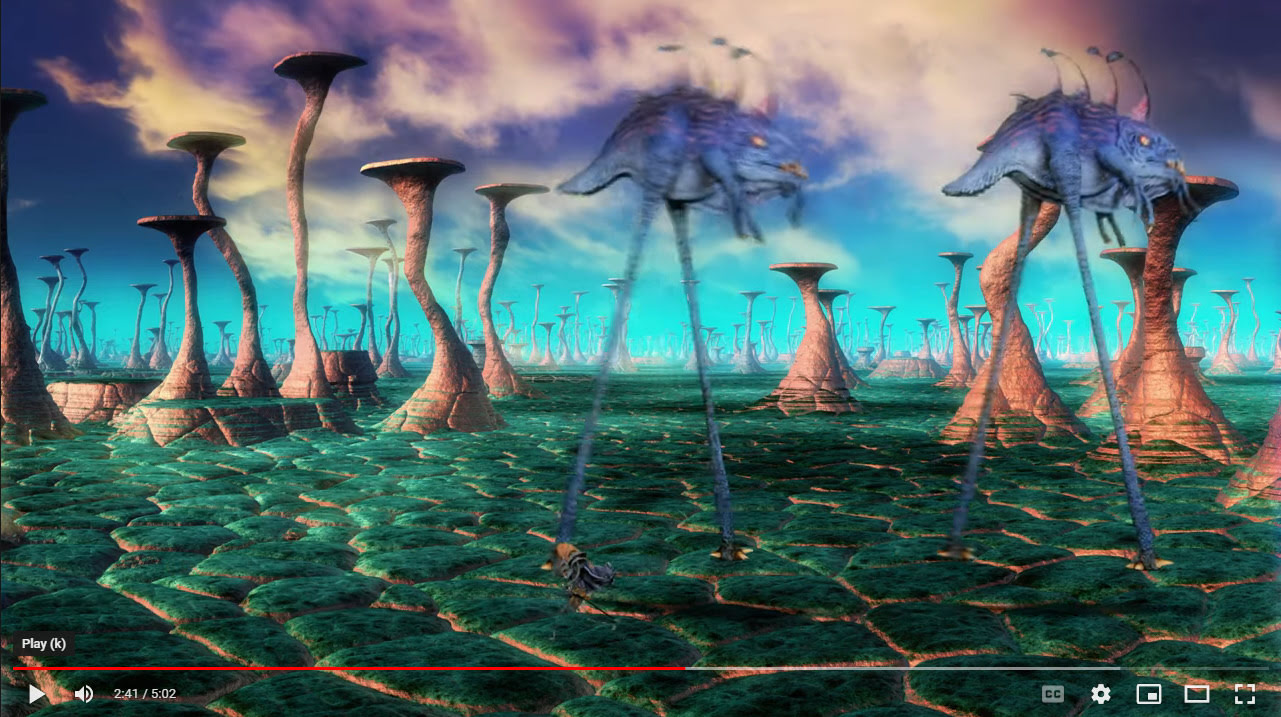
DAZ Studio users are set to get a new integrated iRay render-farm service in the Cloud. Infinite-Compute’s “Boost for DAZ” will presumably become available as a free plugin soon. Nothing there yet, I just looked. According to the press-release on the partnership the new service will offer the ability to first configure… “a custom NVIDIA iRay Server within minutes” by budget / time / complexity. Then once that has spun up, users quickly render the project on it and “only pay for what they use.” No need for expensive graphics cards, then, just a fast Internet uplink to get the file and any relevant folders uploaded.
Looks good, and it may be especially welcomed by those who are shut out of the NVIDIA ecosystem, either because of Apple or the simple lack of fast cards to buy at their supposed ‘budget’ prices.
Presumably you can also still run things like Scene Optimizer in DAZ first, and thus make the upload / cloud rendering faster and thus save cash? But that’s just my guess.
Said to be “affordable”, and judging by the current prices on the Infinite Compute site it is and is pay-as-you-go.
Top of the range is a professional studio NVIDIA Quadro RTX4000 aided by 8 CPUs. But you can also render iRay on 12 x CPUs alone if you want. Yes, iRay can run on CPUs alone, as it’s a myth that it needs an NVIDIA card. That’s what I’ve actually got under the desk: 12 CPUs / 24 render threads, and with a little help from Scene Optimizer and a couple of tweaks it can push the Viewport into something approaching real-time. A bit grainy for a few seconds when the camera moves, but perfectly acceptable in giving a ‘what you see is what you get’ view of the scene.
I assume that what you won’t get from Infinite-Compute is some kind of hook into powering your DAZ Viewport, whereby their server also helps render your Viewport in iRay while you set up the scene and test angles, lighting etc. As such I expect Infinite-Compute will mostly be used for big 6k final ‘beauty’ renders and by animators. You’ll still need some kind of hefty local computing power to help with the scene setup.
At SIGGRAPH 2021, a demo of an automated AI to ink vector lines over a loose lineart sketch. PDF examples.