A new Digital Monograph Costing Tool from American University Presses.
Digital Monograph Costing Tool
14 Monday Nov 2016
Posted in Economics of Open Access, Spotted in the news

14 Monday Nov 2016
Posted in Economics of Open Access, Spotted in the news
A new Digital Monograph Costing Tool from American University Presses.
06 Sunday Nov 2016
Posted in New titles added to JURN
SPAFA journals (Southeast Asian archaeology and fine arts, various titles)
Hiperboreea (History of central and eastern Europe, partly in English)
04 Friday Nov 2016
Posted in Ecology additions, New titles added to JURN
04 Friday Nov 2016
Posted in Spotted in the news
Good news, London’s venerable newspaper The Daily Telegraph has dropped its easily-sidetepped metered paywall, and is now going for a hybrid approach. Previously a reader had 20 free articles a month, then the paywall descended. With the new system there’s a 20% premium / 80% free split, with premium articles going behind a “hard” paywall. This paid-for premium content is described as the “most unique, in-depth and insightful journalism” and “interviews, opinion pieces, features and some of your favourite Telegraph writers”.
It’s difficult to get at what the new subscription tiers offer, as they’re hidden behind a “30-days free” offer page that demands your details first. But NiemanLab reports that the lowest level of £2 (about $2.80 US) per week will get plain Web browser access to premium stories, with more expensive options offering scanned ‘paper newspaper’ facsimiles and swoosh-y interactive tablet editions. So about $10-$12 a month for basic premium access. No details about payment options — can British users pay via PayPal and in dollars, or is it ‘Credit Cards Only’? I get paid in $s these days, via PayPal. So dollars are my cheapest and most convenient option, even though I’m in the UK.
I suspect that there will be some bonuses flying back to a journalist whose article gets snaffled by a sub-editor for the ‘premium’ category, but the “hard” paywall content — presumably only very minimally exposed to the open Web — should help to prevent any rush-to-clickbait tendencies among the paper’s journalists. That’s an interesting way around the click-bait problem at newspapers, if it works. The Telegraph is apparently profitable to the tune of £50m a year, so it can afford to take a few risks and try things out.
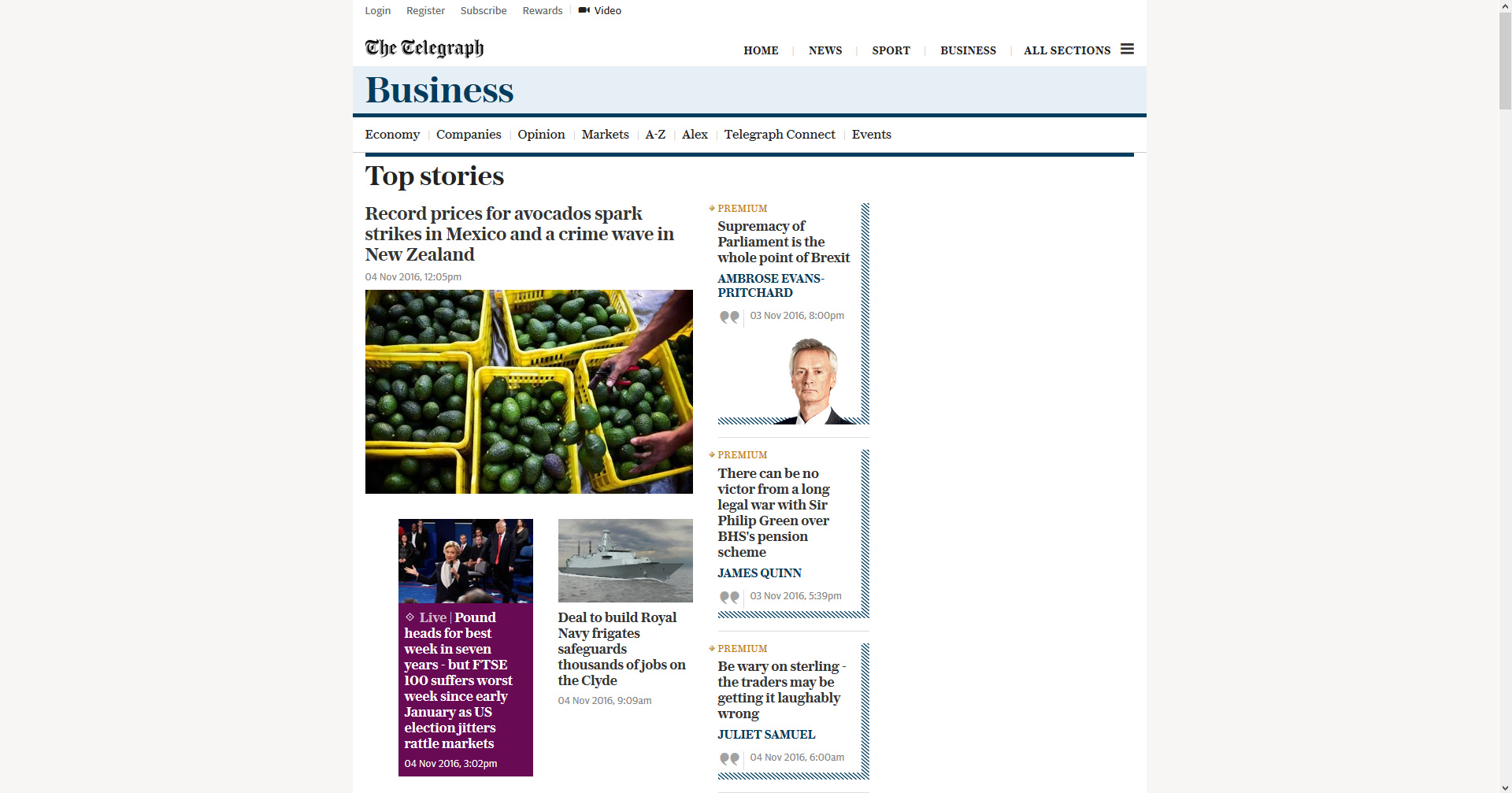
Personally I’d be inclined to pay a premium Web subscription if I could bin the tablet-tastic thin-column layout, and instead get a layout that actually fits a widescreen desktop monitor. This is what the Business section looks like to me in Firefox after I’ve cleaned it up with Element Hiding Helper…
04 Friday Nov 2016
Posted in Ecology additions, New titles added to JURN
All the 700+ Web links on JURN’s openECO: directory of ecology/nature journal titles indexed have been checked for linkrot, and repaired if needed. Please update any local copies you may be keeping.

03 Thursday Nov 2016
Posted in Spotted in the news
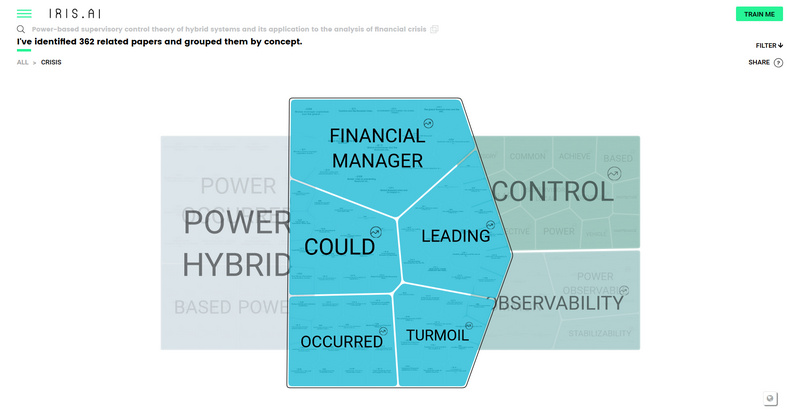
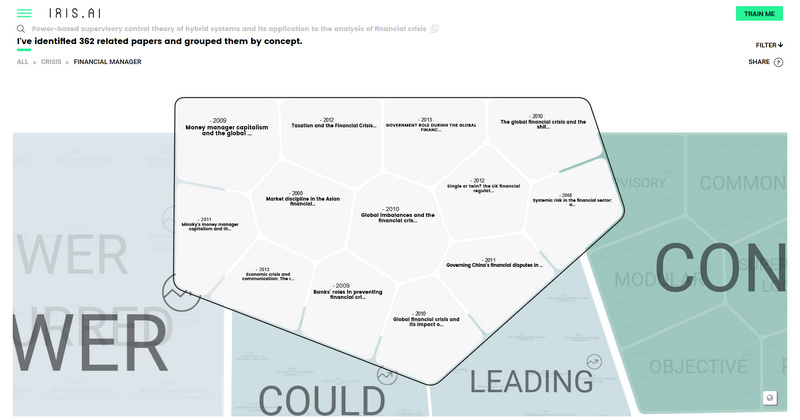
A ‘science search’ tool has just launched in a new 2.0 version. Iris AI certainly has a nice and fast visual interface, which I read is new with version 2.0. The concept-grouping demo seems to use the UK’s CORE repository database (I couldn’t find any other links) and offers some 30m papers. As such Iris AI 2.0 appears to demo a “pilot” commercial in-house product that is being pitched at high-end business firms. Firms who need a good-looking “science assistant” option alongside traditional keyword search. I guess it would also be a user-friendly way for marketing / recruitment / competitor-research / horizon-scouting teams to garner useful keywords and phrases in highly technical subject areas. Perhaps also to access a firm’s own knowledge repository in a split-screen manner (trade press and relevant journals on one side, in-house repository on the other = then play ‘spot the difference’). I can’t comment on Iris AI’s apparent ‘neural net’, ‘machine learning’ and ‘AI’ aspects, but these days one has to assume that such things may not just be marketing buzzwords.
03 Thursday Nov 2016
Posted in JURN tips and tricks, Spotted in the news
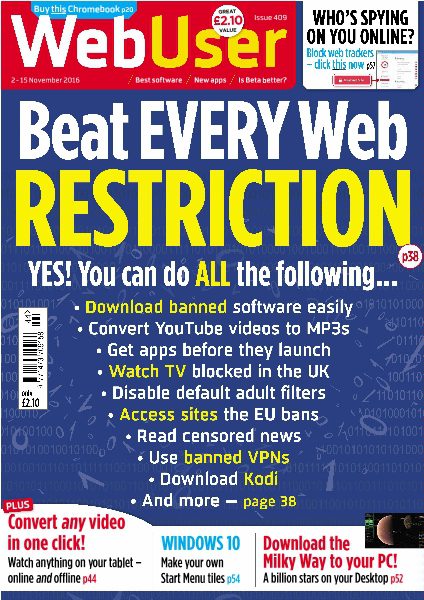
The latest edition of the UK’s very popular WebUser magazine gleefully ignores all the recent stupidity by the EU and others. Thankfully we won’t be in the EU for much longer.
02 Wednesday Nov 2016
Posted in New titles added to JURN
Journal of Copyright in Education & Librarianship
Deja lu (World Council of Anthropological Associations)
02 Wednesday Nov 2016
Posted in Spotted in the news
I just had a PayPal refund from Pinterest for my August Instapaper subscription of $3. On looking at Google News I see that the new owners, Pinterest, have decided to make Instapaper’s premium service level a free service. Nice.
But slightly worrying is that… “Pinterest has planned a strategy to be more than just a place to collect articles with visual content [and] Pinterest has a lot more to offer in the future”. Oh dear, which means some flash-harry Web designer will get his mitts on it and mess around with the layout. I like it just fine as it is, that’s why I was willing to pay for it. I don’t need an all-singing all-dancing ‘Pinter-paper’.
01 Tuesday Nov 2016
Posted in Spotted in the news
The Eastman Museum of photography has a newly expanded collections hub with 250,000 records, many with pictures. Some of the scans are quite large, such as this 2380px scan of a Minor White picture…
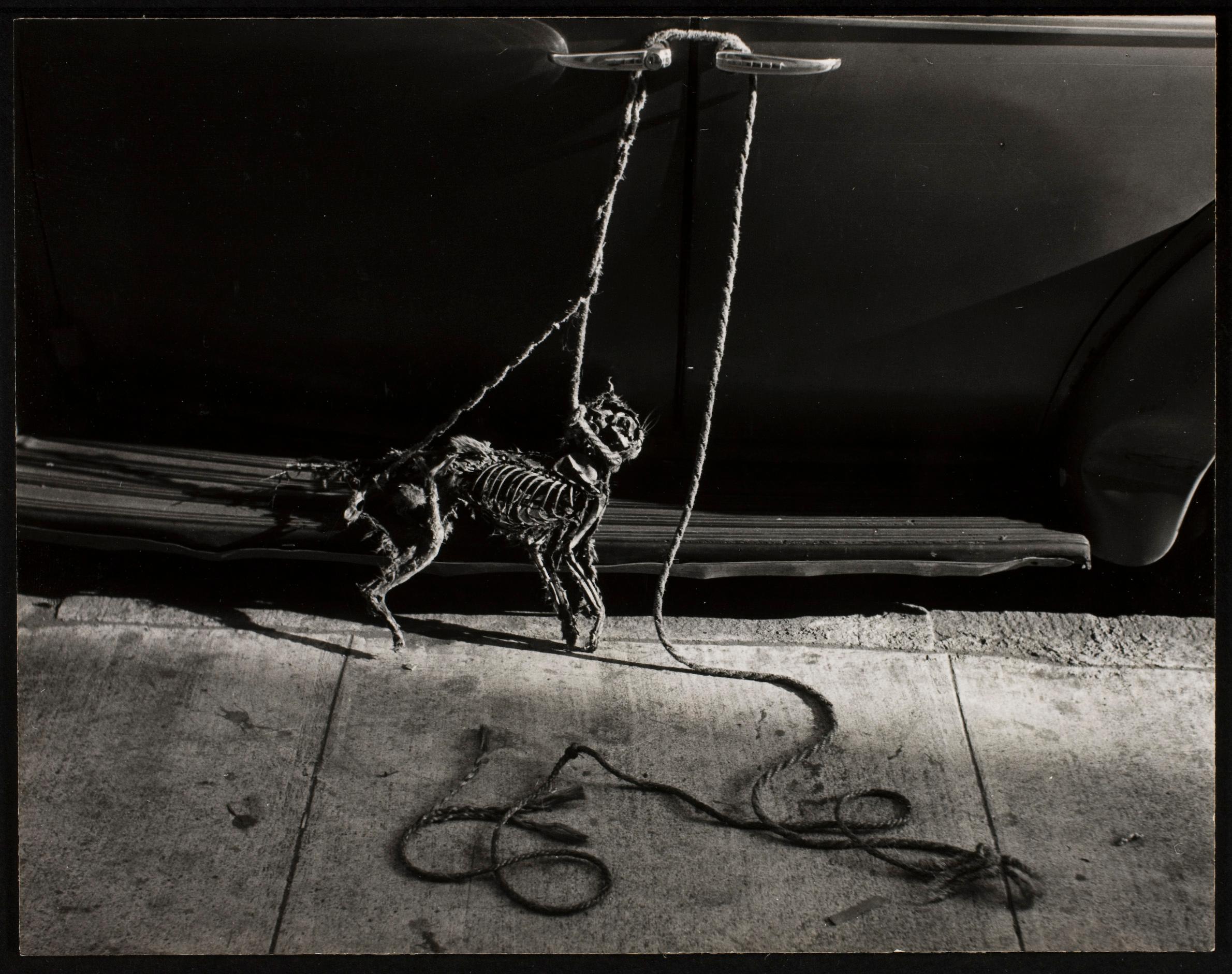 “Cat skeleton”, Minor White, 1953. Eastman Museum.
To get big pictures suitable for lecture or dissertation use, you need to use the Firefox trick and a Firefox add-on like RighttoClick.