Investing in the Podcast Ecosystem

A new free Andreessen Horowitz report, “Investing in the Podcast Ecosystem in 2019”. It’s from an investor perspective, but is very long and has lots of interesting firm-ish numbers and agency segmentations of use to a wider audience interested in free public content.

It doesn’t once mention YouTube though, so it may be overlooking a lot of under-the-radar effectively-a-podcast episodic shows that can be listened to as audio-only, and others that don’t go through the usual podcast delivery channels. No mention either of a leading podcast search-engine which should surely have been in such a report.

Also, many of the services it mentions I’ve never heard of. Who knew that “Apple Podcasts” is apparently the incumbent? I’ve never heard of it before… but then I’m not part of the Apple ecosystem.

Button-holed

The Google CSE team is obviously updating with some tweaked code, on the front-end of the Custom Search Engines (CSEs).

As a result, JURN’s custom “click to search button” has become a small generic-looking one done in .SVG code. This is smaller and tighter than I’d like, and has replaced JURN’s nice custom .JPG button.

This “click to search” button still works fine, so it’s only an aesthetic change…

I’ll leave it a few days before jiggling the CSS to try to get the custom button back, just in case Google decides to revert the changes.

Finding and playing public domain sheet-music

Here are some introductory notes on a preliminary search, relating to some new software I was testing and installing as a favour.

* IMSLP/Petrucci Music Library. Free Public Domain Sheet Music, with 140,000 works at May 2019. No preview, and a 20 second delay on each PDF download while an appeal for donations is displayed. It seems they’re not closely tracking Archive.org, as I couldn’t find a couple of newer public domain items I know are on Archive.org.

* Musopen is the other large repository of free sheet music. You get a visual preview of the sheets, and PDF download links are open and quick. But the results from its keyword search is very bad. You’ll do better with a site: search in Google or DuckDuckGo…

site:https://musopen.org/music/ keywords

* Metadata tagging on Archive.org is patchy for sheet music. Thought it will often have ‘sheet music’ or ‘sheetmusic’ or ‘score’ in its title. Theoretically it seems it should have a ‘sheet music’ topic tag, but often the uploaders don’t tag their upload with that. The best initial wide searches are:

sheetmusic AND mediatype:texts keywords

“sheet music” AND mediatype:texts keywords

Which together suggest Archive.org currently has about 10,000 sheet music booklets, nearly all of an age to be in the public domain. Including much 1910s and 20s rag-time, marching music, and popular ditties.

* ChoralWiki has a very large collection of public domain choral sheet music.

* The Mutopia Project has a small collection of classical works.

* Band Music a large collection of American marching-band sheet music.

* American university libraries also have very large online collections, usually general popular and light classical music.

I don’t know of any unified one-box search that will search across all of the above. It might be an interesting project to create one, but I won’t be doing that — so feel free to give it a go.


* For audio preview of the music score, you’ll first need to get away from your default MIDI sounds driver. Doing this used to be fiendishly complex, but is now extremely easy with the fine bit of Windows freeware called VirtualMIDISynth. Install, and it takes over from your Windows MIDI sounds driver, and then you add a free .SF2 soundfont to it — so that it has the instruments it needs to play a score with.

Then you need to OCR your sheet music into software player-readable form. For sheet music OCR is termed “OMR”. If you’re using the leading paid Sibelius sheet-music player and writer (termed ‘scorewriters’ by those in the trade), then you’ll find that works seamlessly with the leading PhotoScore “OMR” software. PhotoScore uses the SharpEye SDK, widely said by eagle-eyed music industry testers to be the most accurate at picking out and interpreting all the complex fine detail of a music score.

Then you save your successful scan to an .OPT file and Sibelius can load and play this as if it were a .MP3 file. Your new VirtualMIDISynth audio driver and soundfont makes it sound lovely.


I’d like to recommend some free open source OMR -> Scorewriter software, but I had no success with it and the OMR end of the process is especially lacking and clunky (Java). As someone who’s been away from the world of music for many years, I had the feeling that the robust commercial impetus in the music professions means that it’s hard for open source software makers to stand the pace.

Finding an OpenClipart fallback

The OpenClipArt site has been down for 21 days now, apparently felled by a heavy denial-of-service (DDOS) attack. It has 150,000 bits of clipart, all under CC Zero. Archive.org has a partial mirror of the site, but it’s no use for keyword searching or (it seems) getting the actual image files.

While Wikimedia Commons holds 2,000 images tagged with ‘OpenClipArt’, they didn’t ingest all 150,000 bits of the OpenClipArt clipart. In fact, no-one seems to have done so, and there are also no recent tar.gz archives containing all 150,000 items. The 0.18 and 0.19 releases were 2010 and 2011, and while a 310Mb author-sorted 2.0 release followed, there doesn’t appear to have been a more recent 3.0 release of the archive.

Thus it seems to me that the site Public Domain Files by Open Clip Art Library is the best fallback until OpenClipArt is back up again. It has a searchable partial mirror of 13,778 OpenClipArt images files, with the latest of these dated to mid summer 2014, and the site has no Shutterstock-ery, pop-ups or ‘mailing-list blocking overlay’ nastiness that I could see (while running an ad-blocker).

Once OpenClipArt is back online it would probably be a good idea to archive and distribute a big compressed mirror of the summer 2019 contents, if only in .SVG format.

Force Windows to open .txt files with 32-bit Notepad++

Situation: When Windows opens a .txt file it will only launch the 64-bit version of Notepad++. How does the user force Windows to open .txt files with the 32-bit Windows, when both the 32-bit and 64-bit Notepad++ are installed? The usual routes of Windows file association and using the Notepad++ Preferences settings have both failed.

Reason for wanting 32-bit: The user may prefer the older version, for light editing, for the time being. Because it supports useful plugins such as MultiClip Viewer and others.

Solution: Open the Windows Registry editor (Start: ‘Regedit’) and navigate down to…

HKEY_CURRENT_USER/software/classes/applications/notepad++.exe/shell/open/command

There replace the 64-bit file path with the 32-bit path. Which means, for me…

C:\Program Files\Notepad++\notepad++.exe

to

C:\Program Files (x86)\Notepad++\notepad++.exe

… and then exit the Registry Editor.

Some useful regex commands for Notepad++

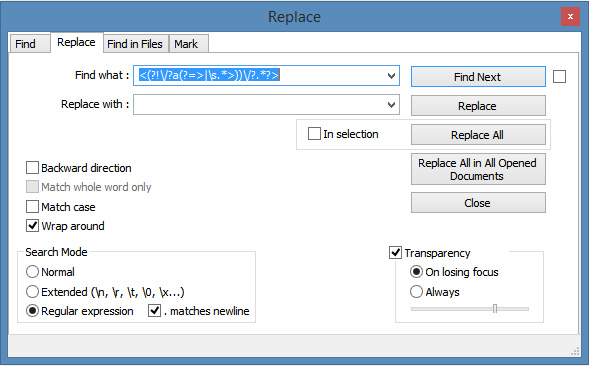
Perhaps it’s just the influence of Inkle’s new Heaven’s Vault game, with the epigraphy of its mysterious alien inscriptions, but I’ve taken a bit of a shine to regex. My first failed tests with the Notepad++ regex were obviously with the ‘wrong type’ of regex, as I now know there are slightly different versions for Windows, Linux etc. But I’ve now found commands that do work for me.

The following were found by scouring forums and were then tested while learning more about Notepad++ and how it works (it’s a lot deeper than it looks). They’re actual working practical examples, tested and working with the latest Notepad++ on Windows 64-bit. My testing suggests that exactly the same macros run differently in the old 32-bit vs. new 64-bit Notepad++. Since (so far as I can tell) plugin activity cannot be recorded in macros, I assume the difference is due to regex support.

Please note that I am clueless about writing these things, only knowing how to search for, find and test them. So don’t ask me to advise you on their devising or tweaking. My many thanks especially to guy038 at the Notepad++ forum, and many and various others, for writing these and helping others find solutions. I found that the search-engine Yippy, based on Bing, is especially good at finding these things, and will almost inevitably lead you to guy038. But, so far as I know, he has not made a regex ‘keyring’ or a ‘cookbook’ or suchlike. Hence my need to collect some working examples here under practical headings.

All but one of these regexes (regexii?) run in the ‘Find’ or ‘Replace’ box in Notepad++. One needs to run in the ‘Mark’ tab in the same box…

On your keyboard, it’s useful to know that Ctrl + Home will take your text cursor (‘caret’) back to the top of the Notepad++ page, which may be useful if you are building these commands into a recorded macro.

Lastly, using regex to fiddle with public HTML seems to be frowned on, so I suggest the following are useful for certain offline text cleaning and data-swivelling operations, not for mission-critical coding or live pages.


The list:

The list has to be posted here in plain text as a .PDF. I had a blog post all done and polished, but then found that WordPress.com blogs make an utter mess of posted regex code, even when wrapping it with the code tags which are supposed to protect snippets of code! So here are the working regexes in a handy four-page .PDF file…

regex2020.PDF (updated May 2020)

New version! My Little Regex Cookbook, for Notepad++ (updated September 2020)