At the Opera

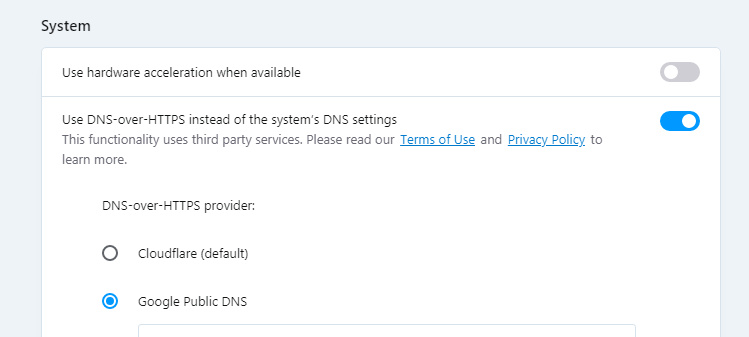
I’ve only just noticed that the Web browser Opera version 67.x has enabled the security feature DNS-over-HTTPS. It’s found down at the bottom of: Settings | Advanced | Security, under ‘System’.

It’s not enabled by default, as it now is in the Firefox browser (for U.S. users only, last time I heard). In Opera you can use Google DNS or Cloudflare, or plug in one of your own. I’m in the UK and it seems to work fine with Google DNS, and doesn’t appear to be limited to U.S. users.

It doesn’t however enable you to visit those annoying U.S. local and regional newspapers that shut out all non-U.S. traffic, and to get past such blocks you’ll still need to turn on a reliable free VPN and pretend to be in the USA. Luckily, Opera has one of those built in, too.

Vogue Italia for free

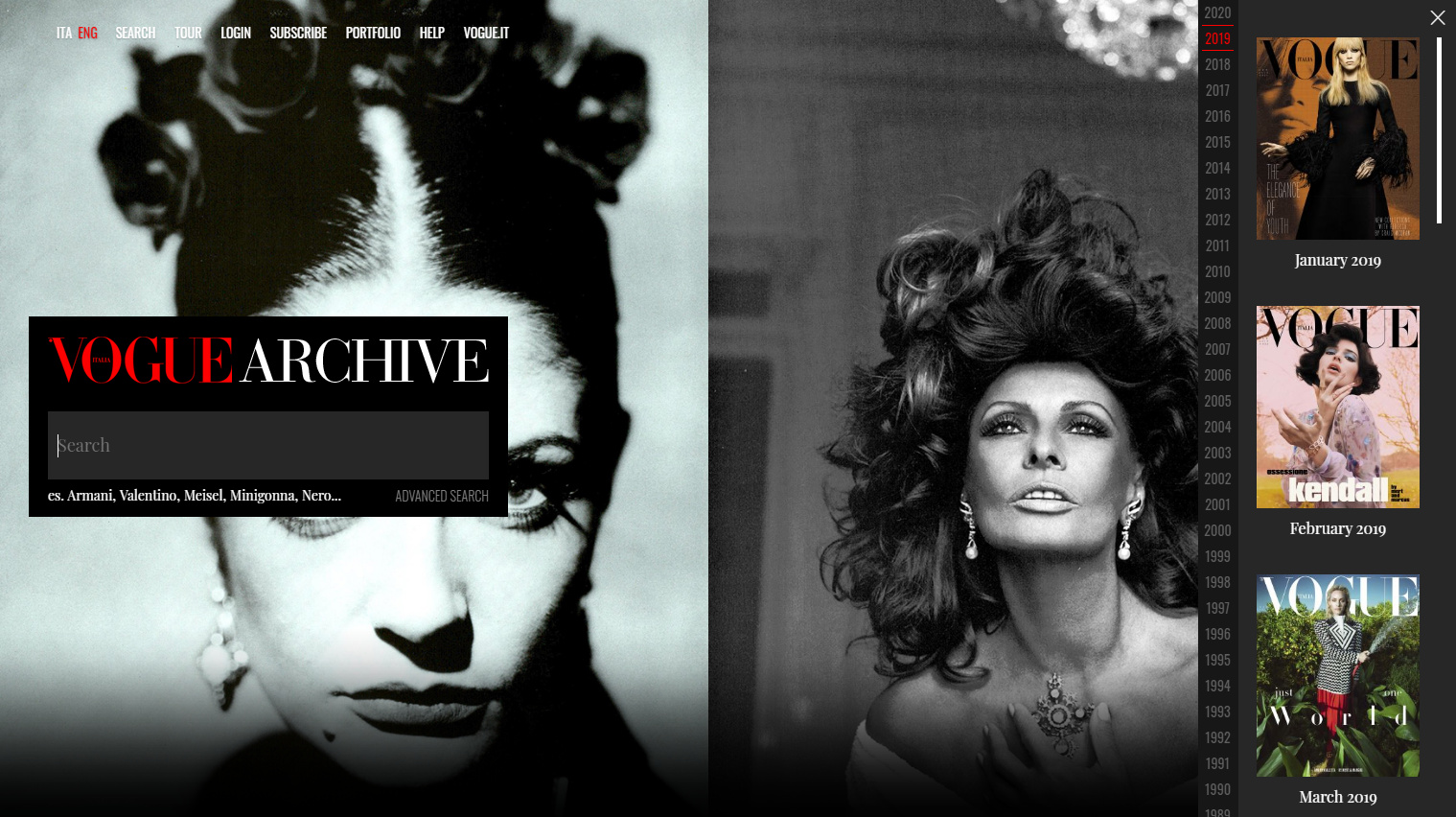
Vogue Italia magazine “has opened its digital archive of every issue from 1964 to the present”, free and public…

From March the 17th, readers can also access the Vogue Italia archive completely free of charge [after an email sign-up]. Vogue Archive is a digital fashion archive, inaugurated in 2013 to mark the fiftieth anniversary of Vogue Italia. A valuable repository which encompasses the entire history of the magazine [from 1964]. Features, photography, articles, advertising campaigns and much more besides. All meticulously cataloged and easy to consult thanks to the most advanced search technology.

A great resource for everyone from fashion historians to magazine designers looking for layout inspiration. Note that it’s always been the least self-censored and most arty version of Vogue, and as such will not be ‘safe for work’ viewing in some workplaces. Also, it doesn’t appear that the sister Vogue titles published in Italian are included, just the main Vogue Italia.

Added to JURN

Bulletin of the Institute of Classical Studies (currently free, seemingly back to 1954 — possibly only free for a limited period?)

MUSE (Museum of Art and Archaeology, University of Missouri).

Byzantine Review, The

Teiresias Supplements Online

Neurobiology of Language (MIT)

Research in Generative Grammar (not yet full indexed by Google)


Brazilian Journal of Natural Sciences

Manter : Journal of Parasite Biodiversity

Global leaders ask publishers to make “all COVID-19 research … immediately available to the public”

Issued yesterday from President Trump’s office, but so far unreported in the virus news I’ve seen…

“The U.S. Coronavirus Task Force leader, Dr. Kelvin Droegemeier, and government science leaders including science ministers and chief science advisors from Australia, Brazil, Canada, Germany, India, Italy, Japan, the Republic of Korea, New Zealand, Singapore, and the United Kingdom are asking publishers to make all COVID-19-related research and data immediately available to the public. … Science leaders requested that existing and new articles be made available in machine-readable format to allow full text and data mining with rights accorded for research re-use and secondary analysis.”

UK sales-tax to be removed from digital academic journals

Announced in our Spring Budget speech today, the UK’s Spring budget speech in Parliament, good news for authors and publishers…

From 1st December 2020 [UK] ebooks, newspapers, magazines or academic journals will have no VAT to pay.”

VAT is the UK’s main UK sales tax, and printed publications are already exempt from the tax. At present it’s uncertain if digital audiobooks will also be exempt.

Gab Trends

Gab Trends is a new topical / news search-engine from Gab, probably best described as the ‘free-speech Twitter’. Trends doesn’t currently appear to require a sign-up. Commenting on news stories does however require signing up to the Gab’s sister-project Dissenter. Comment-counts presumably then show up on the Gab Trends search results, but not the comments themselves, which are quarantined on Dissenter. That’s probably just as well, since this is the free-speech Gab and it veers strongly toward the right-wing of politics. Though at present there doesn’t seem to be much speech of any kind going on there.

If testing Gab Trends you’ll probably want to block all images on results. In uBlock Origin that’s…

##*.column-image

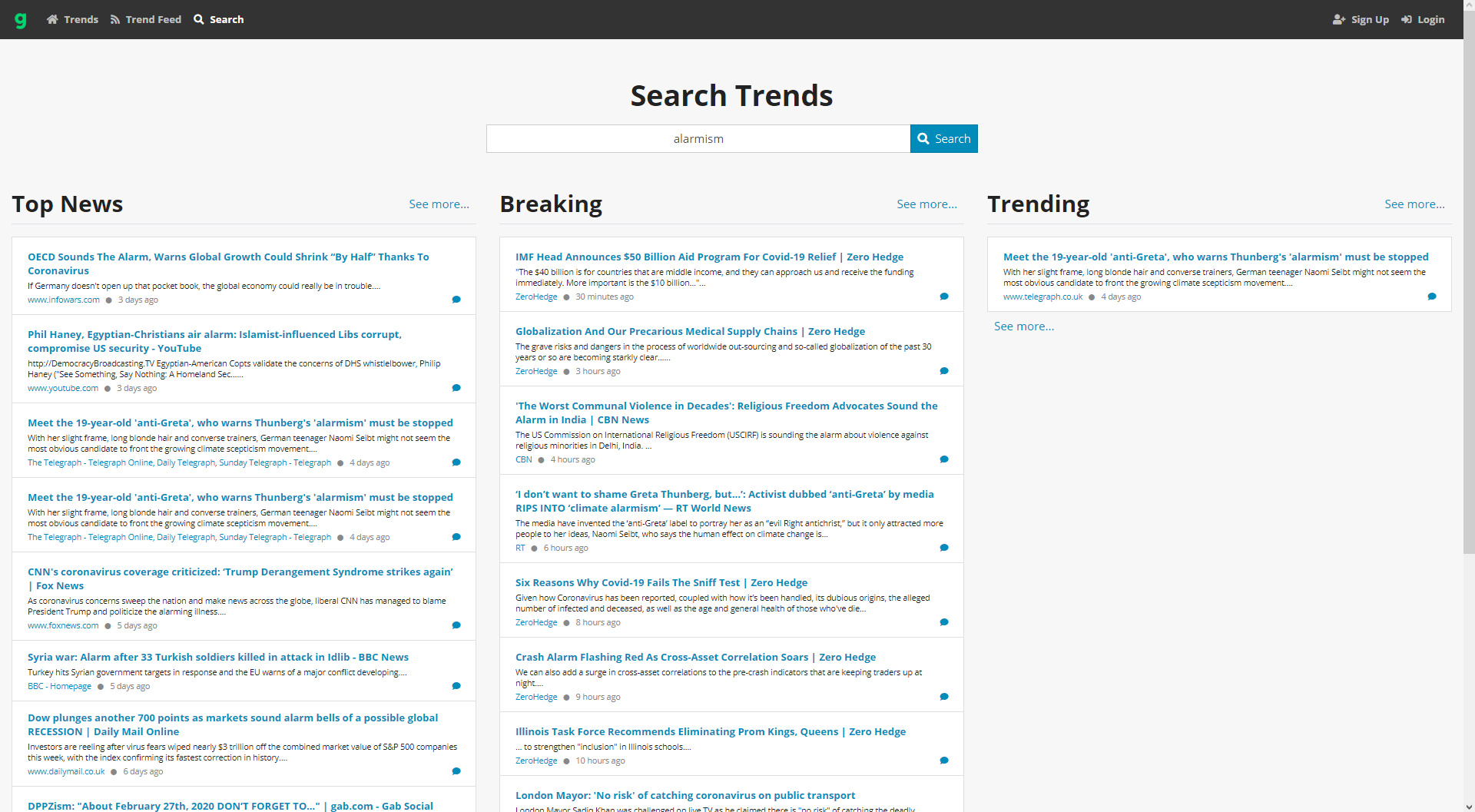
Once that’s done, a broad test for keyword alarmism shows about what you’d expect…

Conservative news sites are prominent. The UK’s Daily Mail and The Telegraph newspapers, the USA’s Fox News, and I think ZeroHedge is some sort of libertarian/Bitcoin news site? Sites such as InfoWars and RT (‘official’ Russian news) will fail to pass the sniff-test for many.

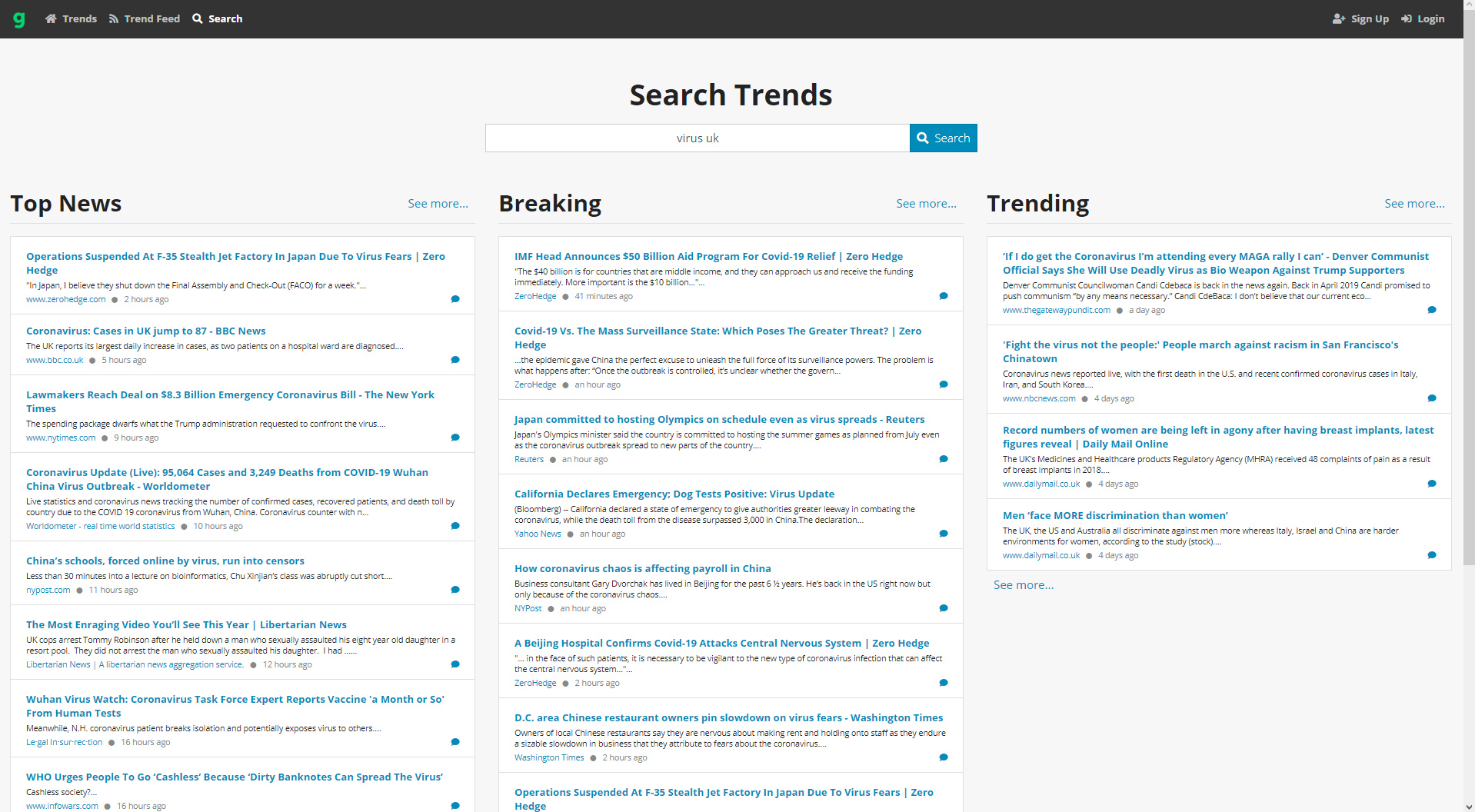
A search for virus + UK showed a similar spectrum of results, but with the BBC, Reuters and Yahoo ranking highly. No weird conspiracy-theory pundits in the top results, so far as I could tell.

Without making a search Gab Trends becomes effectively an algorithmic newspaper, giving you the top items as they currently stand in Trends. In that form it veers very strongly toward the tabloid ‘crime and grime’ type of linkbait, and is not much use.

Search results for a keyword can be easily had as an RSS feed, seemingly without sign-up. So you might get something useful out of it in RSS, if you’re prepared to drill down for half an hour.

There doesn’t appear to be a list of the news sources, and on my limited tests they feel quite limited at present. One would have expected to find robust conservative magazines like The Spectator, The Federalist, The Critic, Quillette, rather than questionable stuff like the InfoWars and RT sites, but I guess that’s perhaps because the focus is on ‘breaking news’ rather than on commentary. Yet the National Review is in there, which is the U.S. equivalent of The Spectator.

Overall, it’s possibly useful if you want an RSS feed to keep track of what restaurant Milo has been thrown out of this week. But at present it seems a worse choice for tracking news than Google News + a site-blocking script able to remove the news sources you don’t care to read.

Best desktop PDF reader for magazines at 2020

Several years ago I surveyed PDF reader software for desktops, with an eye to: 1) speed of opening, and 2) being a “magazine reader”.

There were only two free ad-free winners, The Windows Reader desktop app and Sumatra PDF. Sumatra won because, unlike MS Reader, you can turn off the “gutter” line for two-page magazine spreads. Being able to do that is a vital feature, for viewing magazines that run pictures across double-page spreads.

I took another look at the range of PDF readers, just now. Surprisingly, no-one has yet produced a dedicated elegant free “PDF magazine reader” for desktops, with a big idiot-proof one-click button for: “two-page spreads + cover-page, no gutter line”. Sumatra PDF is still the closest, with its Book view (Cover + Facing pages) which is found under Settings | Options | Book View. But the gutter line still has to be removed by fiddling in Advanced Settings, to manually change: PageSpacing = 4 4 to PageSpacing = 0 0

I tried a few other free desktop readers, to see if anything had changed and there were any new contenders. I ended up trying the following…

* PDF-XChange Viewer. Painfully slow to render pages, uninstalled. Apparently the whole of CERN is forced to use this, for security. Secure it may be, but fast it is not.

* PDF Architect. The interface looks slick, like MS Office. It’s still available free, but has been superseded by a more advanced paid version. It was a 13Mb download, then it needed to go online to get a “Startup module”. This download stuck at 1% and never completed. Killing the downloader process revealed it was 32-bit anyway, something that was also confirmed by further research. There doesn’t appear to be a standalone version.

* MuPDF, open source… but it’s what Sumatra is built on. Basically it’s Sumatra but without the advanced controls.

* Evince is also open source. Curiously it doesn’t feature on lists of the best Adobe Reader alternatives, or at Major Geeks (now the best freeware directory). Possibly this is because Evince is said to ignore DRM in PDFs, and/or because people think it’s not for Windows. Yet there is Evince for Windows. It’s somewhat fast, but sadly it has a fat ugly gutter on double-page spreads which can’t be removed. Nor can it handle PDFs from Microsoft Publisher, not being able to display semi-transparency correctly. Uninstalled.

* I assume that Adobe Reader is still bloated and also a major security risk.

Thus, as far as I can tell, the only real free / ad-free / nag-free, fast, 64-bit and reasonably secure option for magazines at the start of 2020 is still Sumatra PDF. One can of course send a PDF magazine to your tablet or megavision TV for leisurely sofa-and-chocs browsing, but desktop-based professionals often need a quicker desktop solution for flicking through PDF magazines.

There is a portable version that can run with its own settings file. This can be useful if you need a second installation with a tiny gutter line — to check for slight gutter-overlaps in the output PDF.

The Smithsonian in CC0

The Smithsonian now has a unified open-access picture library online, primed with an initial 2.8 million hi-res images. The licencing appears to be uniformly CC0. Another 200,000 images will reportedly be added through 2020, with more in future years.

It’s easier to use than the main ‘advanced interface’ — where, on a search for cats for instance, you’ll have a very hard time figuring out how to remove scans of the pages of old botany recorder-books (with text-only records of cat’s tail plants) — when you just want pictures of furry cats.

The new CC0 portal is very slow at present, probably due to the weight of visitors arising from the publicity and the bots from the likes of Alamy which are doubtless already strip-mining it. But a search for cats in the Collection, with CC0 eventually loaded and the first page suggested it to be a fine collection, although it rapidly turned into cat skulls and botany (‘cat’s-tail grass’ etc) on the second and third pages.

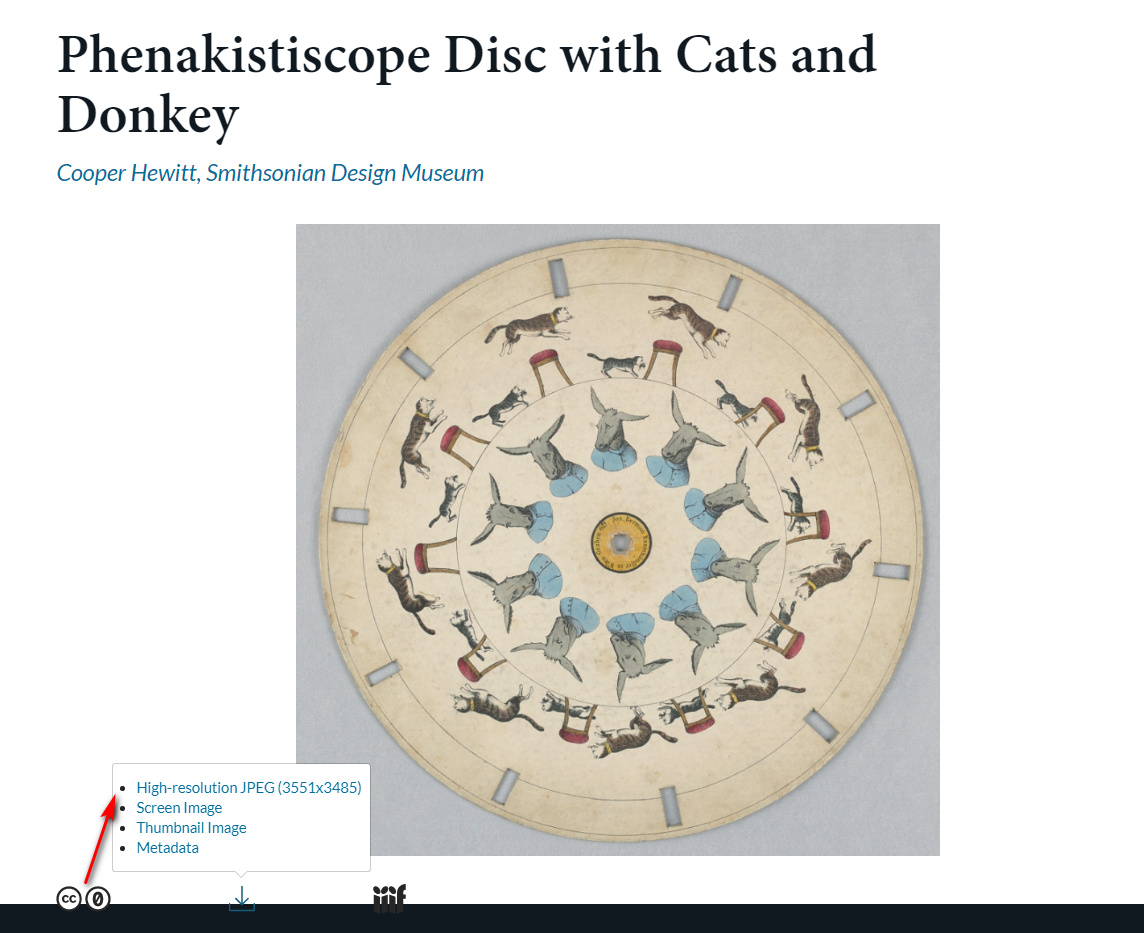
A test download gave a large 7Mb .JPG file…

It appears not to be on Google Search or Google Images in any substantial form, as yet. “CC0” is on each record page in plain-text, so can theoretically be used as a keyword by Google. But it appears, from the following search…

site:www.si.edu/object/ “Cats” “CC0”

… that Google has not yet indexed the new 2.8m record pages. Indeed, one wonders if they ever will, as even a broad…

site:www.si.edu/object/ “CC0”

…reveals a mere 70 results in Google Search. If they hardly index the existing pages, then what hope for the new 2.8m?