How to get RSS from a Google+ or Facebook group

How to get RSS feeds from a Google+ group:

1. Install the Feed+ for Google Chrome addon in your Web browser. Authenticate it.

2. Paste in the ID number, from the home URL of your target Google+ group.

3. The addon will then give you an RSS link for FeedDemon (or other dedicated RSS software), and also a link to send the feed to Google Reader.

My standalone FeedDemon software accepted and validated my test feed, and gave me a full list of the posts.


How to get RSS feeds from a Facebook group:

1. Grab the ID number of the Facebook group from the home URL.

2. Visit this Yahoo Pipes script — feed it the ID number and it will pop out a valid RSS feed for the group.

I’ve successfully used this to plug a Facebook group feed into the sidebars of several blogs.


How to get an RSS feed for any Facebook fan page:

1. Copy the end bit of your Fan page’s URL. e.g. the end bit from http://www.facebook.com/MyFanPage

2. Paste this onto the end of https://graph.facebook.com/ e.g.: https://graph.facebook.com/MyFanPage

3. Run this new URL in your Web browser. Note and copy the ID number, found in the code that is returned.

4. Use this ID number to replace the ID number in this URL: https://www.facebook.com/feeds/page.php?id=123456789101&format=rss20

You now have a valid RSS feed for updates on your Facebook fan page.
How to do reverse search in Google Images Search

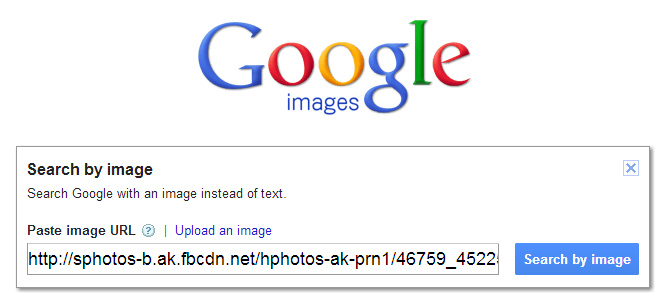
How to do reverse image search in Google Images Search:

1. Find and copy the original direct URL of the image which needs identifying.

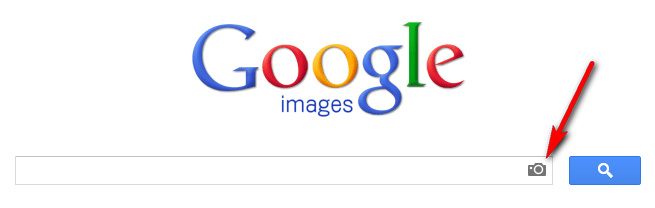
2. Go to Google Image Search and click on the camera icon in the search box…

is1

3. A search dialogue box will open. Paste the image’s URL into the box, and search…

is2

4. View results…

is3

You can also upload an image, as well as just paste an URL.

Theosianama

Just soft-launched at an event in India, Theosianama (launching March 2013) will be…

“a dedicated [free] search-engine and education content provider for the Indian & Asian Arts, Culture and World Cinema.”

“[Divided into the categories] antiquities, fine arts, books, cinema, craft, economic data, cultural events, print data and photography. […] The database includes information on Hindi films, sale and auction in the field of art over the last 25 years; photography from 1840s from architectural to print, calendar art, masks, rare novel covers, print making, advertisements, lobby cards, posters and lithographs. […] the first phase will focus primarily on Hindi and Bombay cinema [Bollywood] and the history of Modern Indian and contemporary fine arts, the second phase will deal with the architectural heritage of India. “

The laudable aim is to provide a means of…

“cutting through the politics of access to knowledge and education which has plagued India” [because in India as] “a country we are insensitive and disrespectful of the plethora of [historic] visual images. There’s a lack of respect for our history because of the fundamental ability to abuse history [for religious and political purposes], which has led to its distortion.”

Theosianama seems to be part of a future MOOC, called the Osianama Learning Experience.

Sadly the developers have wasted the mainstream media launch publicity generated by the Delhi launch event and press release, since going to the website reveals nothing more than a bare PHP password box.

Omeka 2.0

An Omeka 2.0 Release Candidate is now available for download. Omeka is a handy WordPress-like online catalogue publishing software, designed for academics.

Among the streamlining and new features:

* creation of thumbnail images for a fuller range of files

* the availability of a new site-wide search

* addition of Dublin Core Metadata fields

[vimeo 55973380]

Free online open course in Semantic Web Technologies

Free open online course in Semantic Web Technologies, starting on the 4th of February 2013 for six weeks.

* Limits of today’s Web, and the vision of the Semantic Web.

* Basic architecture of the Semantic Web including: URI, RDF, RDFS, SPARQL, RDFa, Microdata and Triple Stores.

* Knowledge representation and logics.

* Ontologies, Reasoning with propositional logic and first order logic, Fundamentals of description logics, and the Web Ontology Language (OWL).

* Applications in the Web of Data.

* Ontological Engineering, Knowledge Discovery, Linked Data, Semantic Search.

The Appendix

Not indexed by JURN, but I love the idea. The Appendix

The Appendix is a quarterly journal of experimental and narrative history; though at times outlandish, everything in its pages is as true as the sources allow. The Appendix solicits articles from historians, writers, and artists committed to good storytelling, with an eye for the strange and a suspicion of both jargon and traditional narratives.

First issue is “sort-of” out now, with around half the articles published.

How to add “Any Site” search in Google Chrome

Enable in-browser Google keyword search of any website you visit:

1. Right-click on your Google Chrome address bar. “Select Edit Search Engines…”

searchany1

2. Wait for your current list of search engines to load. Then scroll down to the bottom of the list, to find the “Add a new search engine” boxes…

searchany2

There add a new search engine…

Name: Any Site

Keyword: as

URL: [sourcecode language=”javascript”]
javascript:location=’http://www.google.com/search?num=100&q=site:’%20+%20escape(location.hostname)%20+%20’%20%S’%20;%20void%200
[/sourcecode]

3. While visiting any website you can now type: as keyword into your browser’s address bar (aka the ‘omnibar’)…

searchany3

On pressing the return key you will get back a page of Google Search results. These results will be for your keyword, drawn only from the current website being visited…

searchany4

Enjoy!