New Zealand Journal of Archaeology (1979-2008)
Archaeology in New Zealand (1957-2011)
Galapagos Research (journal on the Galapagos Islands, from the Charles Darwin Foundation)

20 Saturday Feb 2016
Posted in Ecology additions, New titles added to JURN
New Zealand Journal of Archaeology (1979-2008)
Archaeology in New Zealand (1957-2011)
Galapagos Research (journal on the Galapagos Islands, from the Charles Darwin Foundation)
19 Friday Feb 2016
Posted in New titles added to JURN
Austrian Journal of Political Science (partly in English)
18 Thursday Feb 2016
Posted in JURN's Google watch, Spotted in the news
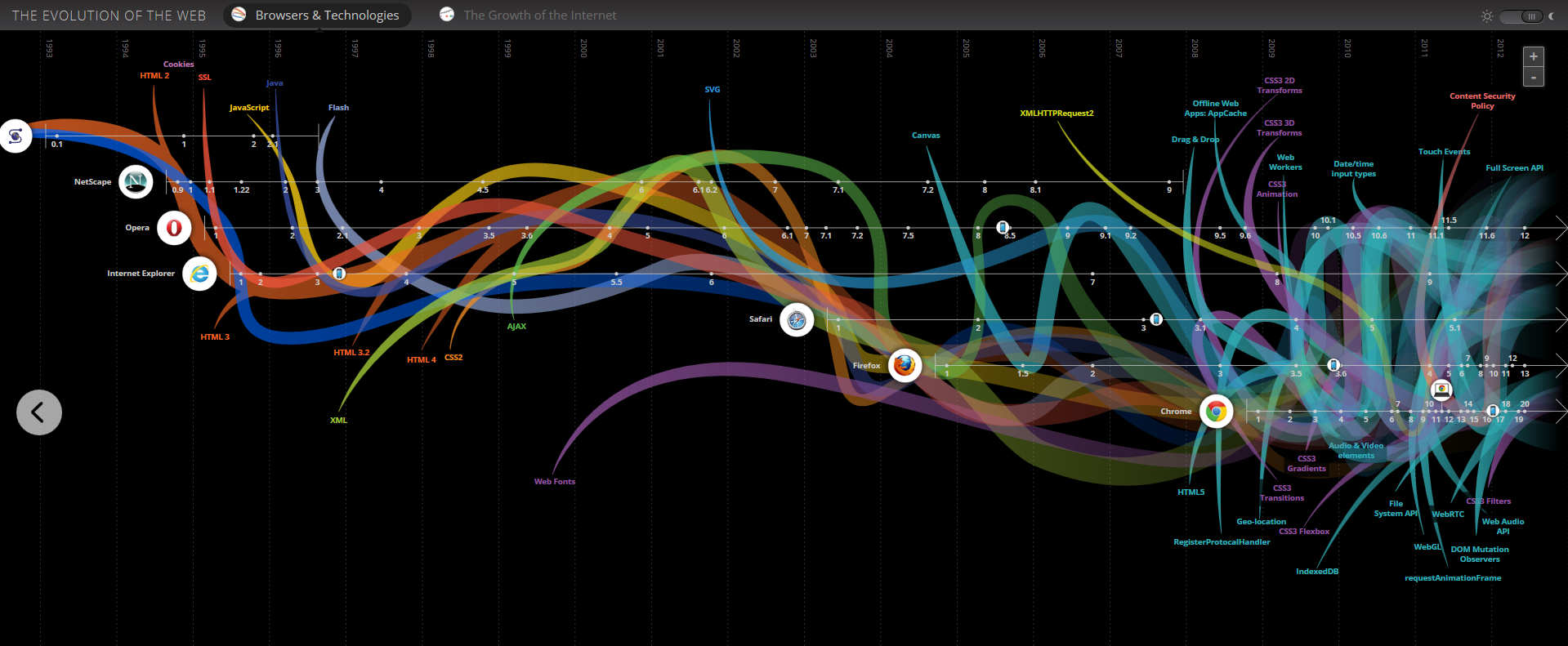
The Evolution of the Web is a very elegant interactive timeline of the browsing software and hardware storage capacity, from Google. It would be interesting to see a ‘social impact’ / ‘economic impact’ / ‘cultural impact’ version of this.
18 Thursday Feb 2016
Posted in New titles added to JURN
Crossroads : Studies on the History of Exchange Relations in the East Asian World (one year paywall, HTML version of articles free after one year)
Series : International Journal of TV Serial Narratives
+
U.N. iLibrary, inc. its various development and law journals.
17 Wednesday Feb 2016
Posted in New titles added to JURN
16 Tuesday Feb 2016
Posted in Spotted in the news
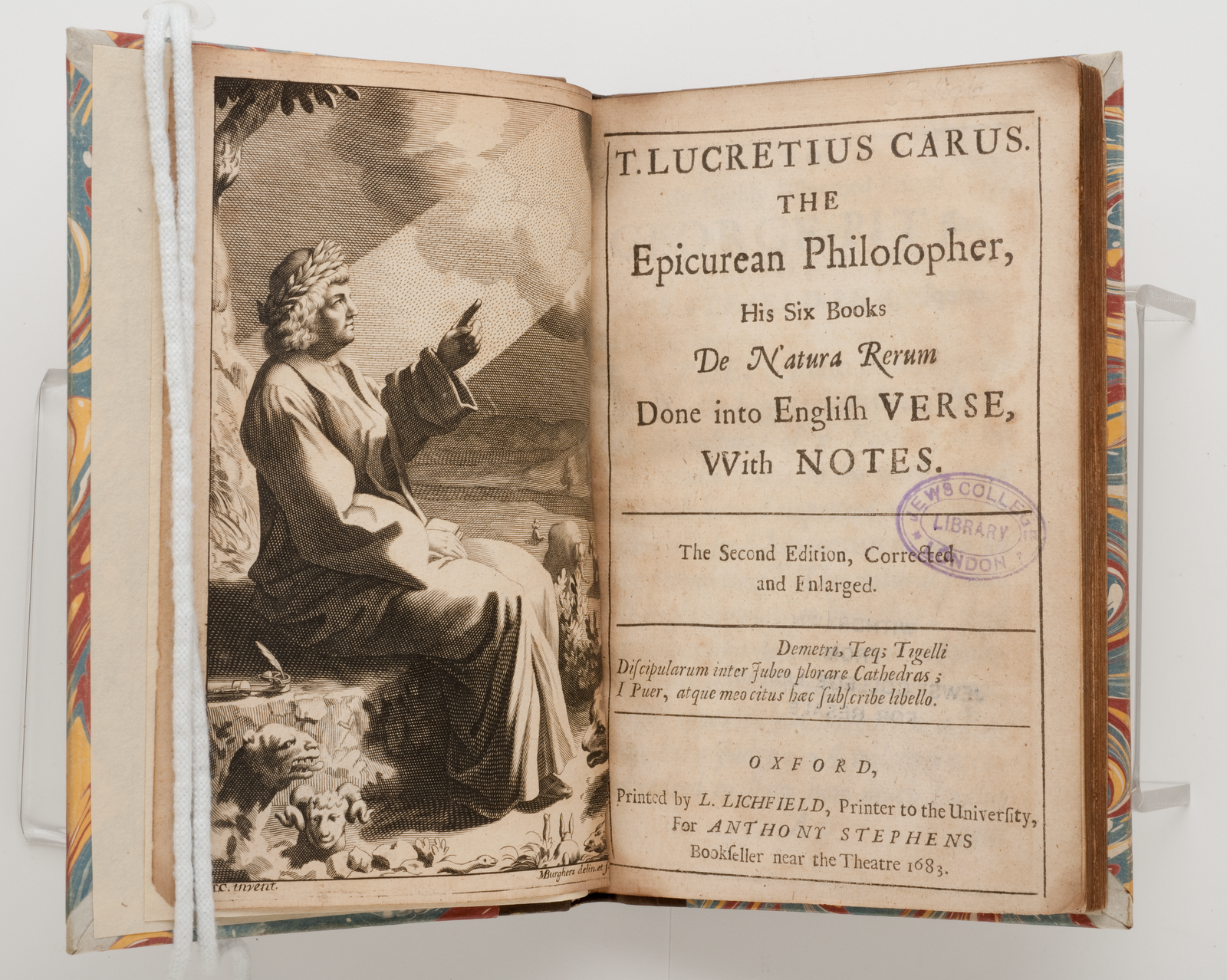
The UK’s Early English Books Online Text Creation Partnership has released high quality scans of 25,000 Early English (1473-1700) books into the public domain, and to the public. The site has crashed under the weight of traffic, as with many such releases, but hopefully it’ll be up again soon.
16 Tuesday Feb 2016
Posted in Spotted in the news
Interesting to see a proposed layout for the planned $2.5m “Wikimedia Knowledge Engine”. Looks to me to be some sort of curated search engine for finding out more about topical in-the-news concerns. But presumably with all the media’s link-bait, faux news and drive-by parroting filtered out by the Wikipolice. The results probably then mingled with trusted sources on the topic (encyclopaedia pages, trusted source data, ‘source-watch’ type pages, perhaps even an OA journal article if that’s what the news reporting originated with).
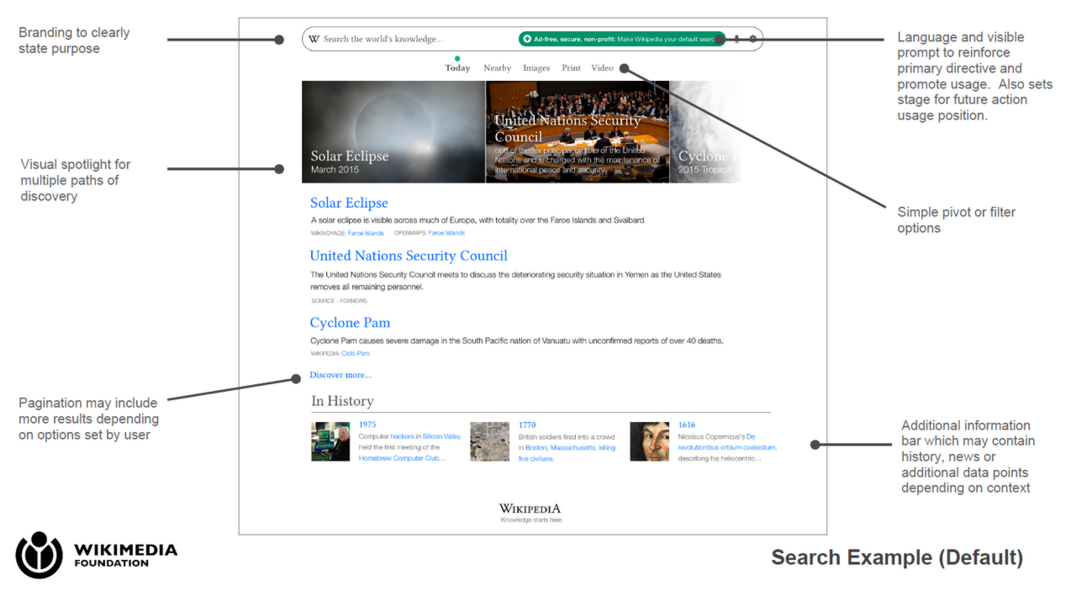
Maybe also a timeline function for mapping how a recent news topic emerged across the media? Although the Web has been waiting donkeys’ years for an elegantly dynamic and editable timeline creator — so don’t your breath on that one.
The Wikimedia Foundation describes it thus…
Knowledge Engine By Wikipedia will democratize the discovery of media, news and information — it will make the Internet’s most relevant information more accessible and openly curated, and it will create an open data engine that’s completely free of commercial interests. Our new site will be the Internet’s first transparent search engine, and the first one that carries the reputation of Wikipedia and the Wikimedia Foundation.”
14 Sunday Feb 2016
I’m very pleased to see that the U.N. has launched the new comprehensive U.N. iLibrary, to act as a repository for all its major open-access items…
The United Nations iLibrary is the first comprehensive global search, discovery, and viewing source for digital content created by the United Nations. … Every year around 500 new titles are planned to be added to United Nations iLibrary.”
This new public site has over 700 books and annual reports accessible via /books/all.
14 Sunday Feb 2016
Posted in JURN tips and tricks, Spotted in the news
DuckDuckGo Search Box now offers the ability to input and search multiple sites in a Custom Search Engine (CSE), something I don’t remember DuckDuckGo offering the last time I looked.
It’s certainly nice to have an alternative option when making a small CSE, and there are various reasons why one might prefer this to Google. DuckDuckGo is a non-tracking and privacy-centric search engine, and use doesn’t require a sign in to DuckDuckGo. DuckDuckGo is excellent on speed, relevancy ranking (especially with its image search) and on general navigational searches. So it may be a preferable choice for some, provided that it indexes all your CSE’s target URLs and doesn’t forcibly truncate (e.g. searching the full www.site.com/ when you only want to search www.site.com/academic-journals/
On the downside, the DuckDuckGo index doesn’t yet have the range and depth of Google Search, especially when it comes to small academic journals and sites of the sort in JURN. But it might be nice to test the coverage of a small DuckDuckGo CSE for a unified search across all the repositories at a university (the main theses repo, the eprints repo, various OJS installations, the law-school repos and journals, etc). Such an engine might conceivably have a deeper coverage of your repositories than Google, and it would only be a matter of thirty minutes to test such a notion.
One would then ideally plug the CSE search-box into the front page of each of those repositories — since I find that one of the problems with the increasing proliferation of repositories and OJS installations, at large universities, is that these are almost never interlinked or used for cross-promotion. One arrives at, say, the eprints server and is not even given a hint that the university also runs another half-dozen repositories and OJS installations.
A DuckDuckGo CSE search box can be embedded on your website via a normal HTML form, but the results are served by and at DuckDuckGo. However, DuckDuckGo has also kindly listed all their DuckDuckGo URL Parameters which can be embedded in the URL path and which one can use to change the CSE’s search results and appearance. These include the ability to turn off advertising.
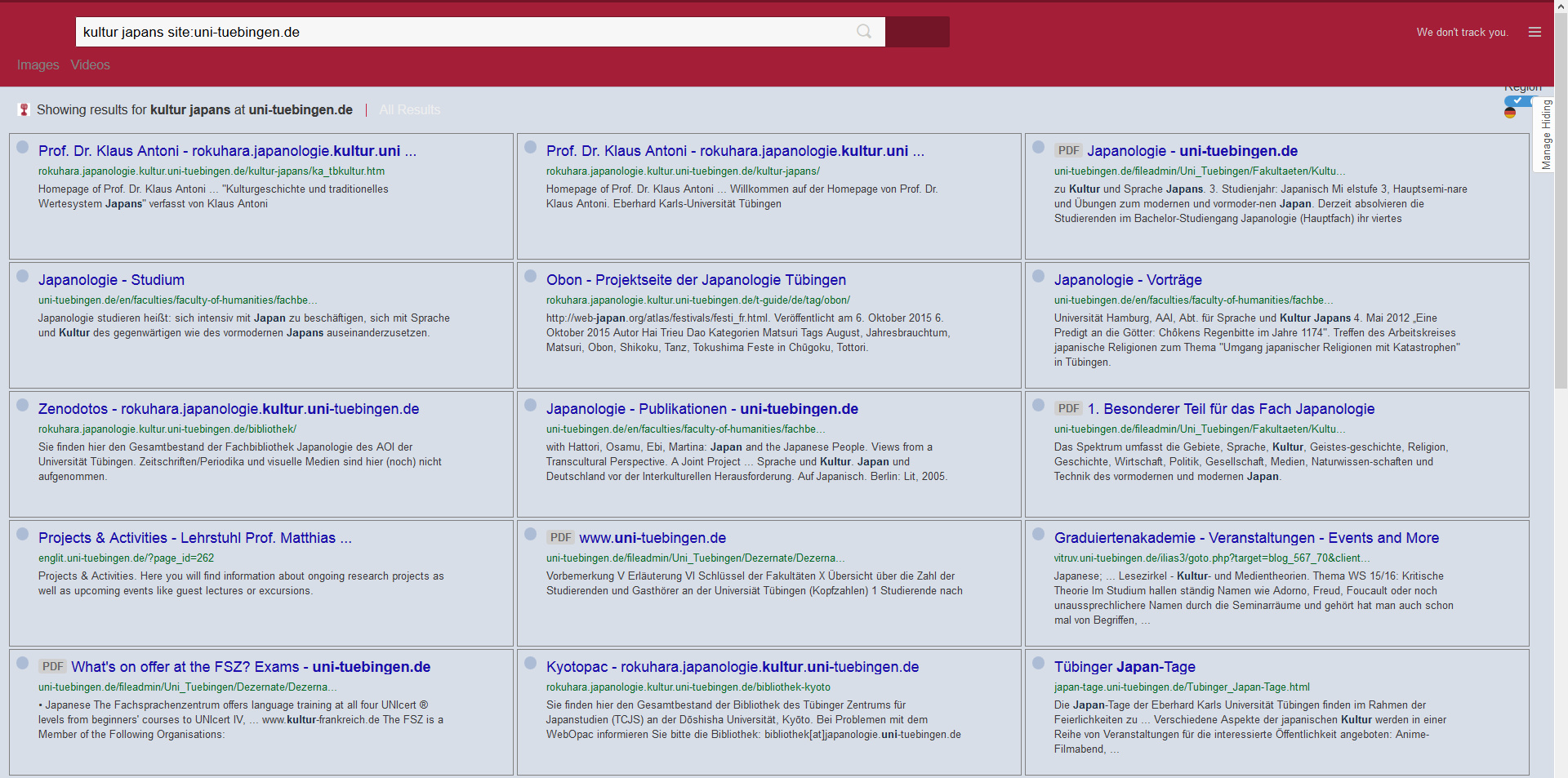
Here’s a screenshot of my results from a German university which uses their CSE, showing how they’ve keyed the header colours to their own brand — although I do have a browser add-on that presents the search results in a desktop-friendly column layout and probably overrides their own colours on the search links…
Update:
Sadly there are significant drawbacks.
1) It truncates so can’t handle www.site.com/cgi/images/ only www.site.com
2) A test shows that it just doesn’t work at all with the Duck’s Image search feature.
3) Nor can you use it with even a single – modifier (e.g. Staffordshire -dog)
Update: appears to be dead. Just gives the message “Search too long” whatever you put into it.
12 Friday Feb 2016
Posted in Spotted in the news
Open-i : OA Biomedical Image Search Engine. I tested their collection of x-rays, but found them to be pointlessly small. It appears that the items are all figures auto-extracted from CC medical papers, rather than hi-res scans.