• Directory
  • FAQ: about JURN
  • Group tests
  • Guide to academic search
  • JURN’s donationware
  • Links
  • openEco: titles indexed

News from JURN

~ search tool for open access content

News from JURN

Category Archives: JURN tips and tricks

Call 9.9.9.9

01 Monday Jan 2018

Posted by futurilla in JURN tips and tricks, Spotted in the news

≈ Leave a comment

If you’ve spent 2017 being periodically plagued by your ISP’s flaky DNS server, IBM Security has a fast free-and-public DNS lookup server called Quad9 at the 9.9.9.9 address. It was introduced in November, but many will have been so busy in the weeks before Christmas that the news passed them by. It’s very easy to apply, and once in use it filters out the addresses of botnets, phishing scams and the like. As well as your desktop PC, it can also be applied to your various devices and even to your router.

IBM state that Quad9 is “engineered to not store, correlate or otherwise leverage any personally identifiable information (PII) from its users.” It’s been set up as a non-profit and it passes the sniff-test among the sceptical techies at The Register, who usefully note that Quad9 also has a free IPv6 DNS server at 2620:fe::fe


Update: Regrettably it completely shuts down your DNS access if you try to run legitimate link-checking software such as Linkbot. Presumably the system flags you as a botnet if you try to run Web automation software of that type. Oh well. Which means Quad9 has been uninstalled here. Though if you don’t check the links on your websites frequently, then it may be useful to you. It can also be useful as an emergency fall-back, and the 9.9.9.9 address is easy to remember. Google has a similar product at 8.8.8.8

Office for National Statistics Postcode Lookup map

23 Saturday Dec 2017

Posted by futurilla in JURN tips and tricks

≈ Leave a comment

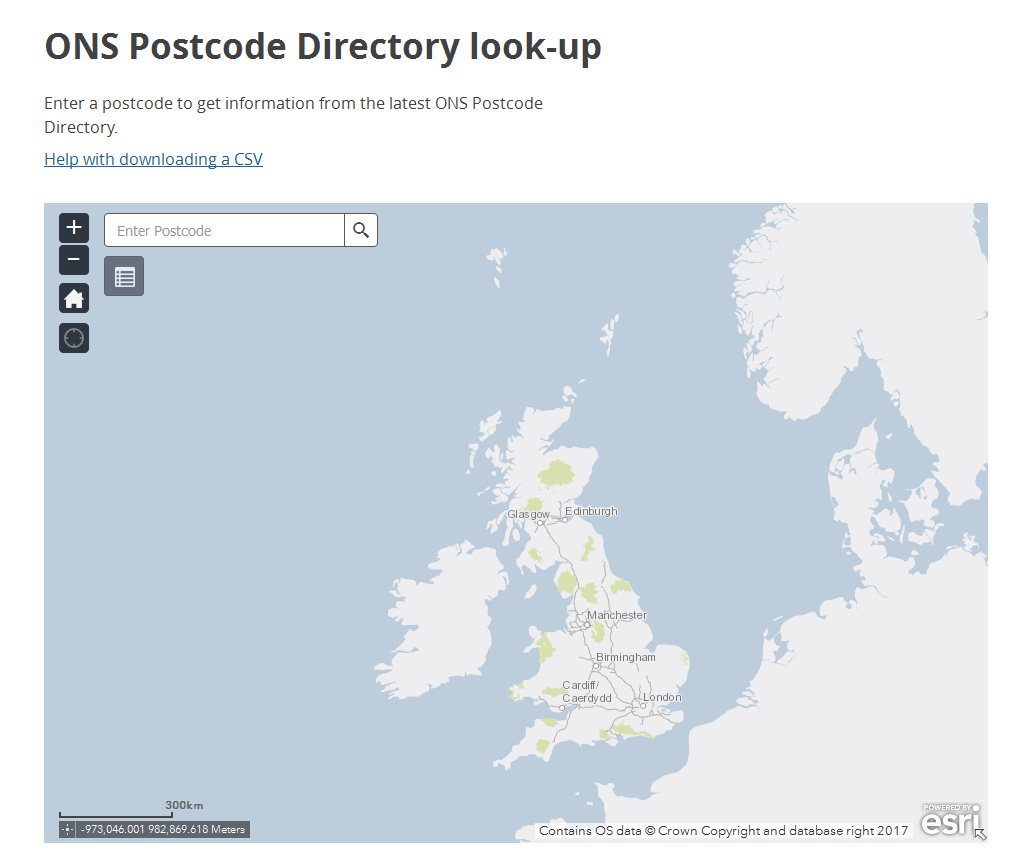
The Office for National Statistics Postcode Lookup map for the UK. Postcodes are the UK equivalent of the U.S. Zip code system. The service is fast, offers pinpoint precision, and has none of the clutter and label-spam of Google Maps. But there’s no “placename to approximate postcode” conversion widget.

Firefox to Pale Moon – a partial progress

21 Thursday Dec 2017

Posted by futurilla in JURN tips and tricks

≈ Leave a comment

Firefox version 55 was the last to support a number of vital “power searcher” addons such as Element Hiding Helper, Greasemonkey, Google HitHider and GoogleMonkeyR. Since none of these show any signs of updating (and, in the case of Element Hiding Helper, explicitly can’t update due to the new Firefox engine), I felt it was time to try to make a move to a new browser.

The options for the move were:

* Pale Moon, a Firefox fork with good support and development. It seemed to be most seamless in terms of supporting the existing configuration of Firefox extensions.

* Opera. I like Opera, and it would be a lot more hassle to switch to it as a main browser because it only supports Chrome extensions. I don’t want to switch to the Chrome browser itself.

* Brave. I like Brave a lot, and it installed fine on Windows 8 despite only officially supporting Windows 7. It’s definitely “the future of browsing” circa 2019, as well as the future of Patreon-like micro-payments, and I’m keeping it installed. But it’s not yet at version 1.0, and as such it mostly lacks extension/add-on support while in the development phase. Though it already has adblockers and password managers built in, and support for things like Paper.


Eventually I tried (and failed) to make a move to Pale Moon.

Auto migration? Nope. Circa 2014 there used to be a really simple official Profile Migration Tool which would port all your Firefox settings, cookies etc to Pale Moon, but it appears to have been abandoned and withdrawn. Restoring settings Firefox -> Pale Moon via FEBE backup now seems impossible, even for simple backups such as Passwords and Bookmarks. Which means that transferring would be a slog, involving hours of work rather than seconds. I tried it anyway.

Firstly, passwords transfer? I found that Password transfer is fairly easy. Installing Password Exporter for Firefox in Firefox and Password Backup Tool in Pale Moon enabled easy and quick transfer of passwords. Make sure you securely wipe the backup .XML file once the passwords have transferred.

Element Hiding Helper. It’s possible to run Element Hiding Helper but you need the Pale Moon version of AdBlockPlus, Adblock Latitude. Then go into its Preferences and “Enable button”. This button shows up in the left hand bottom corned of the screen, rather than being the usual icon in the top right. If you have Element Hiding Helper installed with this, from this tiny button you get the usual “Select an element to hide”, and then things work as before. Then go to Firefox | Addons | AdBlockPlus | Filter Preferences | Backup. Export your AdBlock settings, and import. Everything gets restored including the subscriptions and Element Hiding Helper settings.

(Remove it Permanently seems to offer an alternative for Pale Moon, albeit with having to start from scratch in terms of your personal blocking of items).

Greasemonkey: Then I tried the most vital UserScripts. The first roadblock here was that scripts enabled by the standard Greasemonkey are not editable. You can’t even tell the script which URL they should apply to. “Edit this User Script” can’t launch, and the Add site can’t write the new URL to the script. The problem there is having the Firefox version of Greasemonkey. What’s needed instead is the Greasemonkey for Pale Moon. Once that’s installed the scripts become editable and writeable.

GoogleMonkeyR: For the script GoogleMonkeyR, you need to explicitly enable multi-column search results on Google (DuckDuckGo multicolumn is handled by this script for Stylish in Pale Moon). This is done via: visit Google, run a search | top-right corner of the browser | Greasemonkey icon | UserScript Commands | GoogleMonkeyR preferences | set three columns on Google Search results.

Google Hit Hider by Domain: For the script Google Hit Hider by Domain, run a Google search back in Firefox and then run the Manage Hiding tab. Block | Export will get you a plain-text list of blocked URLs that can be imported in Pale Moon. Only… there’s nowhere to import it in Pale Moon! Greasemonkey for Pale Moon appears to run Google Hit Hider by Domain… but it can’t place the all-important interface UI at the side of the screen or anywhere else. Which means several years worth of URL blocking can’t be imported.

That last point was the deal-breaker in terms of my transferring to Pale Moon and making it my main browser, regrettably. I also found that Facebook Purity (F.B. Purity) could only run in Pale Moon as a Greasemonkey script, which seemed clunky and I also wasn’t sure if Greasemonkey for Pale Moon would have the same problems with it as it had with Google Hit Hider by Domain.

Ah well, so… no move to Pale Moon. But the other information and links, given above, may be useful for those trying to make the long and laborious move from Firefox to Pale Moon.

Styles for Google Maps

16 Saturday Dec 2017

Posted by futurilla in JURN tips and tricks

≈ Leave a comment

Snazzy Maps – Free Styles for Google Maps.

Mostly seems to be about graphic designers wibbling about with new colour-schemes. But there are also quite useful options such as Google Maps without any labels, so you can add your own in Photoshop.

Nice and quick to load, too.

Jump to it!

15 Friday Dec 2017

Posted by futurilla in JURN tips and tricks

≈ Leave a comment

A useful tip for long 40-60 minute lecture videos on YouTube, where you’re already somewhat familiar with the topic: simply press “2” or “3” on your keyboard to skip the video to the 20% or 30% point in time — when the setup and preambles are over, and the speaker is likely to be getting around to the main point of their lecture.

Facebook, sort by date

10 Sunday Dec 2017

Posted by futurilla in JURN tips and tricks

≈ 1 Comment

Force Facebook to sort-by-date on posts: facebook.com/?sk=h_chr Yes, you can do this with a setting in the F.B. Purity browser add-on, but it takes a few seconds to load the unsorted posts, then to reload as date-sorted. During which time you may glimpse the ghastliness that is the un-purified and un-adblocked version of Facebook. Using this URL is a far less clunky way of forcing the newest posts to the top of your main Facebook feed.

Facebook changes Group picture headers

28 Tuesday Nov 2017

Posted by futurilla in JURN tips and tricks, Spotted in the news

≈ Leave a comment

Facebook has changed code and this has affected the size of the picture headers on all Facebook Groups, thus radically messing up people’s headers. For now, a new upload picture size of 820px by 384px will give a Group admin about the right size and proportions, but it’s still not ideal re: spacing and crispness. I’ll update this post when the new correct size is known.

Update: marketeers are suggesting 1920px as the ideal new Group cover picture size, for upload. That’s the new Kindle Fire HD 10″ size, so I’m guessing that’s perhaps why Facebook changed the size on Groups.

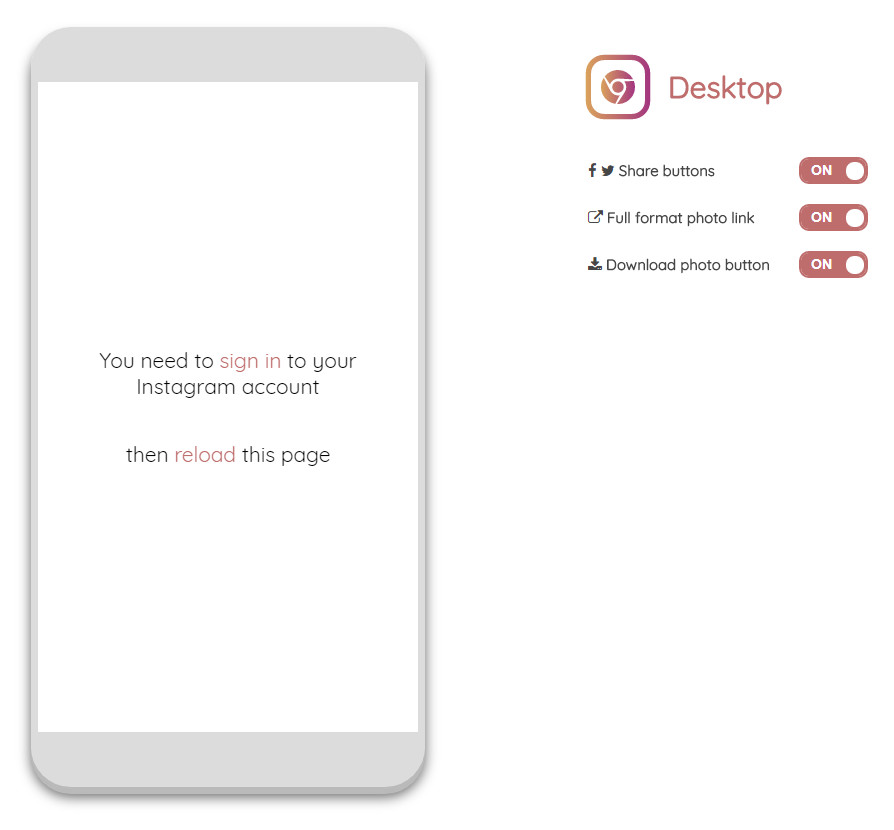
Desktop for Instagram

19 Sunday Nov 2017

Posted by futurilla in JURN tips and tricks

≈ Leave a comment

The unofficial “Desktop for Instagram” lets you post to Instagram from a desktop PC with the Chrome browser. At least, it lets you post for now. Previous such possibilities were stomped on, after a while.

You might want to be slightly more wary than usual on this. No news media have yet mentioned it (judging by a Google News search), it only has 20,000 users, and it uses the trade-marked Instagram name despite not being connected with the company.

DuckDuckGo multi-columns fixed

17 Friday Nov 2017

Posted by futurilla in JURN tips and tricks

≈ Leave a comment

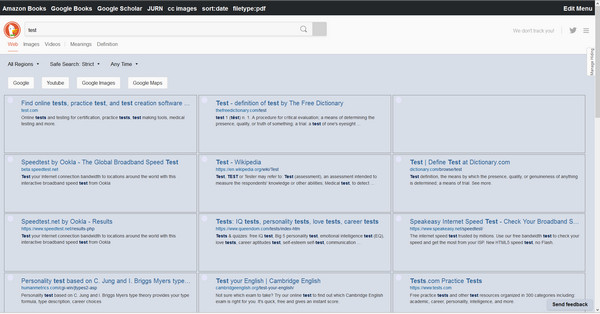
DuckDuckGo Multi-columns is now fixed: DuckDuckGo – Multi-Columns v.10 at Userstyles.org. This gives you DuckDuckGo search results as a multicolumn layout, suitable for a widescreen desktop PC user rather than a tablet user.

If you need to tweak the rather garish default colours, either backup your existing tweaked script before updating and then paste your prior snippets of code back in again, or use my colour-tweaking guide to fixing the code. It’s only a five minute job.

Note that, to access script editing, you no longer go to User Scripts in Firefox, but rather to: top menu | Tools | Addons | the Firefox Extensions panel | Stylish | Click on the Stylish “Options” button | DuckDuckGo – Multi-Columns v.10 | Edit | Save.

Element Hiding Helper in Firefox, how to get it back

16 Thursday Nov 2017

Posted by futurilla in JURN tips and tricks

≈ Leave a comment

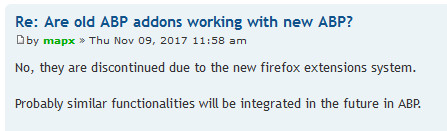
Even if you are avoiding the new Firefox 57, beware of updating the new Adblock Plus browser add-on to 3.0. According to the developer, the vital Element Hiding Helper for Adblock Plus 1.4 is…

“discontinued due to the new Firefox extensions system.”

You can get back to 2.9.1 (June 2017) on Firefox 55 or 56 here, which has a 2.9.1 version that still works with the latest Element Hiding Helper.

Update: I gave up on Firefox and moved to Opera.

← Older posts
Newer posts →
RSS Feed: Subscribe


Please become my patron at www.patreon.com/davehaden to help JURN survive and thrive.

JURN

  • JURN : directory of ejournals
  • JURN : main search-engine
  • JURN : openEco directory
  • JURN : repository search
  • Categories

    • Academic search
    • Ecology additions
    • Economics of Open Access
    • How to improve academic search
    • JURN blogged
    • JURN metrics
    • JURN tips and tricks
    • JURN's Google watch
    • My general observations
    • New media journal articles
    • New titles added to JURN
    • Official and think-tank reports
    • Ooops!
    • Open Access publishing
    • Spotted in the news
    • Uncategorized

    Archives

    • February 2026
    • January 2026
    • October 2025
    • May 2025
    • April 2025
    • September 2024
    • June 2024
    • May 2024
    • April 2024
    • March 2024
    • February 2024
    • January 2024
    • December 2023
    • November 2023
    • October 2023
    • September 2023
    • June 2023
    • May 2023
    • January 2023
    • December 2022
    • November 2022
    • October 2021
    • September 2021
    • August 2021
    • July 2021
    • June 2021
    • May 2021
    • April 2021
    • March 2021
    • February 2021
    • January 2021
    • December 2020
    • November 2020
    • October 2020
    • September 2020
    • August 2020
    • July 2020
    • June 2020
    • May 2020
    • April 2020
    • March 2020
    • February 2020
    • January 2020
    • December 2019
    • November 2019
    • October 2019
    • September 2019
    • August 2019
    • July 2019
    • June 2019
    • May 2019
    • April 2019
    • March 2019
    • February 2019
    • January 2019
    • December 2018
    • November 2018
    • October 2018
    • September 2018
    • August 2018
    • July 2018
    • June 2018
    • May 2018
    • April 2018
    • March 2018
    • February 2018
    • January 2018
    • December 2017
    • November 2017
    • October 2017
    • September 2017
    • August 2017
    • July 2017
    • June 2017
    • May 2017
    • April 2017
    • March 2017
    • February 2017
    • January 2017
    • December 2016
    • November 2016
    • October 2016
    • September 2016
    • August 2016
    • July 2016
    • June 2016
    • May 2016
    • April 2016
    • March 2016
    • February 2016
    • January 2016
    • December 2015
    • November 2015
    • October 2015
    • September 2015
    • August 2015
    • July 2015
    • June 2015
    • May 2015
    • April 2015
    • March 2015
    • February 2015
    • January 2015
    • December 2014
    • November 2014
    • October 2014
    • September 2014
    • August 2014
    • July 2014
    • June 2014
    • May 2014
    • April 2014
    • March 2014
    • February 2014
    • January 2014
    • December 2013
    • November 2013
    • October 2013
    • September 2013
    • August 2013
    • July 2013
    • June 2013
    • May 2013
    • April 2013
    • March 2013
    • February 2013
    • January 2013
    • December 2012
    • November 2012
    • October 2012
    • September 2012
    • August 2012
    • June 2012
    • May 2012
    • April 2012
    • March 2012
    • February 2012
    • January 2012
    • December 2011
    • November 2011
    • October 2011
    • September 2011
    • August 2011
    • July 2011
    • June 2011
    • May 2011
    • April 2011
    • March 2011
    • February 2011
    • January 2011
    • December 2010
    • November 2010
    • October 2010
    • September 2010
    • August 2010
    • July 2010
    • June 2010
    • May 2010
    • April 2010
    • March 2010
    • February 2010
    • January 2010
    • December 2009
    • November 2009
    • October 2009
    • September 2009
    • August 2009
    • July 2009
    • June 2009
    • May 2009
    • April 2009
    • March 2009
    • February 2009

    Proudly powered by WordPress Theme: Chateau by Ignacio Ricci.