Ocropus is Google’s OCR software, and it’s open source.
Ocropus
12 Monday Mar 2012
Posted in JURN's Google watch

12 Monday Mar 2012
Posted in JURN's Google watch
Ocropus is Google’s OCR software, and it’s open source.
07 Wednesday Mar 2012
Posted in Spotted in the news
JSTOR has launched a public beta of the test for its eventual full free access service. Register and Read is billed as an “experimental” service and it gives access to full-text content from 75 publications, limited to three free articles.
07 Wednesday Mar 2012
An interesting new report from RIN, Access to scholarly content: gaps and barriers (Dec 2011).
* 79.1% in “industry and commerce” said their access to research papers was “easy to access”.
* When the same group was later asked more specifically about academic papers…
“In a later question, put only to those researchers for whom journal articles are important, respondents in all sectors rated their access as somewhere between ‘variable’ and ‘good’. Conference papers, on the other hand, were rated somewhere between ‘variable’ and ‘poor’.”
* “the motor industry, utilities companies, metals and fabrication, construction, and rubber and plastics.” reported the poorest access.
* “34.4 per cent of researchers and knowledge workers describe their current level of access to conference papers (in print or online) as `poor’ or `very poor’.”
* “Based on an analysis of the Labour Force Survey, CIBER estimates that there are around 1.8 million professional knowledge workers in the UK, many working in R&D intensive occupations (such as software development, civil engineering and consultancy) and in small firms, who may not currently have access to journal content via subscriptions.”
29 Wednesday Feb 2012
Posted in Academic search, Spotted in the news
How Consumers Discover Books Online, a Feb 2012 presentation at O’Reilly TOC 2012, by the CEO of GoodReads…
“Otis Chandler, CEO of Goodreads, would like to provide an in-depth quantitative and qualitative analysis of consumer behavior in discovering books online. Who is searching for books online? What are their personas? How are they discovering books? How many are they discovering, and how many do they go on to read? Are there strong influencers? What factors can help a book get discovered online? How is the picture different for books in the head vs the long tail?”
18 Saturday Feb 2012
Posted in Official and think-tank reports
Published 1st Feb 2012: “UK Scholarly Reading and the Value of Library Resources: Summary Results of the Study Conducted Spring 2011“, a JISC Collections report. 1000 academics were surveyed, at six British universities.
18 Saturday Feb 2012
Posted in Open Access publishing
Why your new ejournal or website should not look too slick…
“When we watch people try to complete tasks on websites we notice that often the more visually appealing something is, the more they ignore it. If it looks like marketing or an ad, then people dismiss it as having low value or credibility. In the eyes of many customers, ugly equals authentic and credible. Ugly helps you get the task completed quickly without any fuss or distraction. Ugly is going to give you the details. Ugly is not hiding anything. Ugly does not waste your time on surface images and trivial jargon and hype.”
And yet, on the other hand, any Web design that shrieks “generic old-school blog template” will trigger the preconceptions arising from the over-use of such templates on spam blogs. The ideal is perhaps to be relatively plain/simple on the landing page, but also to tweak the template so as to display small carefully-crafted human touches in the design and layout.
Many open ejournals do pretty well on the ugly/authentic score. But some loose points with visitors by saying “here’s a naff 400px picture of this issue’s journal cover, click on it to see the table of contents”. That’s an annoying time-waster and means it can take as many as four clicks to get from the front page to an actual article. If you really must inflict a picture cover on readers, then stick it at the side of — or even behind — the table-of-contents. Ideally, also pay someone on Fivver to actually design your cover, and ensure they know something about typography, layout, and picture-research in the public domain.
17 Friday Feb 2012
Posted in Spotted in the news
From Dan Cohen’s latest blog post…
“I’m convinced that something interesting and important is happening at the confluence of long-form journalism (say, 5,000 words or more) and short-form scholarship (ranging from long blog posts to Kindle Singles geared toward popular audiences). It doesn’t hurt that many journalists writing at this length could very well have been academics in a parallel universe, and vice versa. The prevalence of high-quality writing that is smart and accessible has never been greater.”
Perhaps we need a word for such things? Such chunky and well-researched articles are always likely to be “headliners”, surrounded by smaller articles in a public publication. But as Cohen suggests, they’re increasingly likely to be dis-aggregated from the original publication, after which such a name would not make as much sense. Nevertheless, “headliner article” / “headliners” has a certain naturalness. It also carries with it a faint whiff of the rock star, since a “headliner” at a rock concert is the lead band or artist, and yet it also retains something of the journalistic in it. The rather Alice-like idea of “lining the inside of one’s head” (head-liner) is also implicit in the word, linking naturally with the activity of sitting down for an hour to attentively read a serious 10,000 words or so.
17 Friday Feb 2012
Anvil Academic is a new “fully digital, non-profit publisher for the humanities”…
“Anvil will focus on publishing new forms of scholarship that cannot be adequately conveyed in the traditional monograph.”
All its content will be Creative Commons, and the first Anvil title is set for “late 2012”.
Incidentally, Open Reflections has a new long article from someone who’s actually gone through the risky process of using… “digital tools to explore open access, collaboration, remix” as part of creating a work titled The Future of the Scholarly Monograph and the Culture of Remix.
15 Wednesday Feb 2012
Posted in JURN's Google watch
Google has added images to the Google JSON/Atom Custom Search API, enabling the construction of specialist image-only CSEs. Users of the API can have 100 free queries a day — and can purchase more at $5 per 1000 queries, for up to 10,000 queries per day.
13 Monday Feb 2012
The Google Desktop Search software became officially defunct toward the end of 2011. But one can still download the last 5.9.1 version if you look hard enough for it, and it happily installs and indexes and searches the full-text of your content. For instance, a folder full of Gbs of PDF encyclopaedias and journal articles, ebooks, etc, presenting results in a familiar Google Search interface. Note the indexing has to be manually started by you, and this is done by right-clicking the taskbar icon and selecting “reindex”…

But if you need a personal desktop search product that’s being supported and developed, perhaps due to the need to index a new file-format such as .ePUB, then the alternatives are…
* New addition, January 2019: Paperwork, free open-source software to help a scholar get to grips with their PDF pile, without hooking into some online service ‐ it OCR’s all your PDFs and other documents and then searches across them quickly. Could be used as a OCR tool for other desktop search tools such as dtSearch.
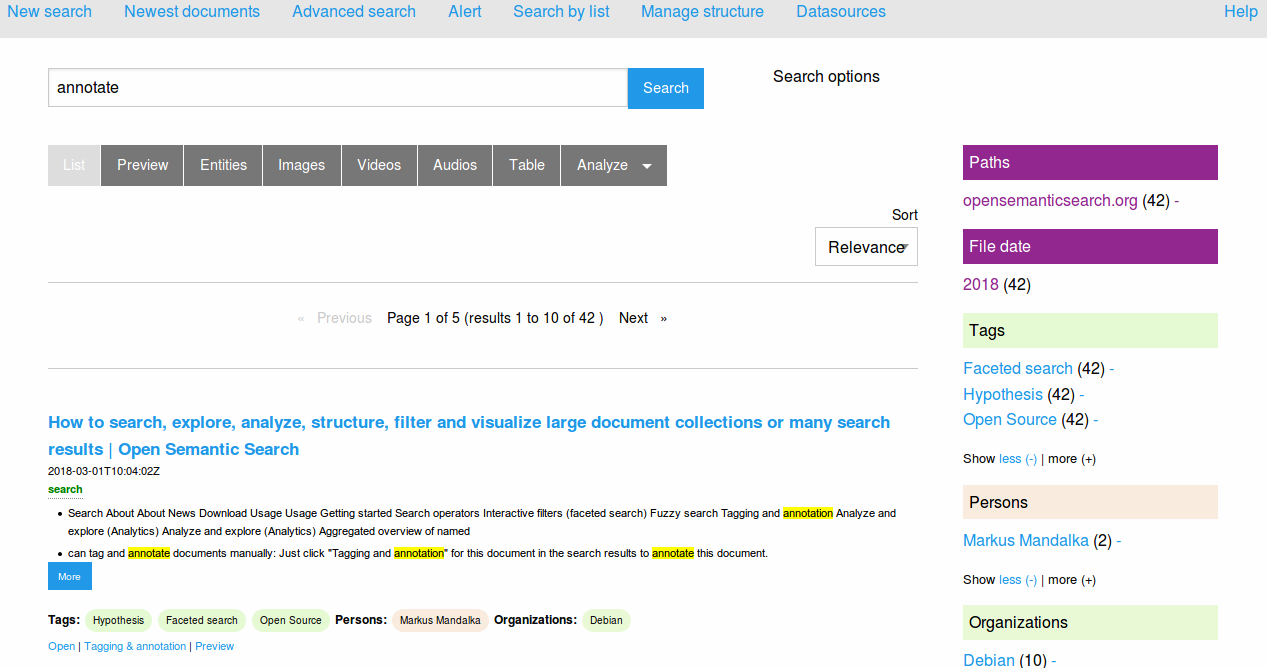
* New addition, July 2018: Open Semantic Desktop Search. Free, open source, and with a Google-like interface. Supports .PDF and .ePUB and many other file formats.
* dtSearch Desktop (PC World review from 2011). A very mature and powerful software, although the price of $199 will likely make it unappealing to personal users. The powerful interface will make it unappealing to small business users and it needs to be used with an OCR product such as the free Paperwork, but it should not be overlooked as “too old”. It’s still very powerful and fast, just bloody difficult to control — even getting it to search for an “exact phrase” and then running it so that it only finds the “exact phrase” can be a bit of a nightmare. It constantly wants to find “something phrase” as well, and I’ve tried and tried and I just can’t find how to turn off that behaviour.
* the free ad-supported Copernic Desktop Search. Well-reviewed and mature software. Can be a bit aggressive in its initial indexing, but then it works quickly and intuitively. There is also a Copernic Desktop Search Professional Edition. The best everyday replacement for Google Desktop Search. Warning, July 2018: the latest free version (7.1) no longer supports .PDF files and has a 10,000 file limit! Do not allow an older version to update itself!
* the new X1 Desktop Search. The X1 website’s main landing page seems to be positioning the X1 range for the corporate market.
* DocFetcher 1.1 is a Java-based desktop search software, that’s open source and free. It’s been around since 2009, but doesn’t seem to have any genuine reviews (that I could find). Note that installing Java on a Windows desktop is a security risk. But it does supports indexing of Open Office file types, and has the very significant advantage of easily “finding the exact phrase” in a Google-like manner without complex switch-setting. (Update: broken by the July 2020 Java update, and when it’s fixed in 2021 it will be $50 and no longer freeware).
* the free built-in Windows 7 and 8 search. Although now tamed, and no longer the fearsome disk-grinding Windows Vista incarnation, in my view turning on Windows Search still makes a desktop PC too slow. Especially if you run a PC stuffed to the top with legacy files and emails.
* Also worth a look are SearchMyFiles (freeware) and Effective File Search (freeware).